 |
bookmark this page - make qweas your homepage | |
| Help Center - What's New - Newsletter - Press | ||
| Get Buttons - Link to Us - Feedback - Contact Us |
| Home | Download | Directories | Freeware | How to | Free Mac | Store | Mobile | Mac | Guides | Discount | Rate | Updated | Popular |
| Picks | Hot | Reviews | Mac Hot | New Releases | Featured | Search | Top100 | iPod iPhone | DVD | Blu-Ray | iTunes | SiteMap | FAQ |
|
|
Image Icon Converter 1.3.0 - User Guide and FAQScreenshots - More DetailsHow to convert image to icon with image to icon converter?Step 1 : Load image.Start program, Select "Load Image...", "Capture from Screen" or " Wizard" Option. Then click on "OK" button. 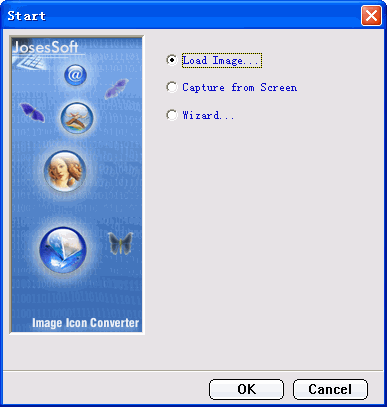
Step 2 :Create Image Selection. 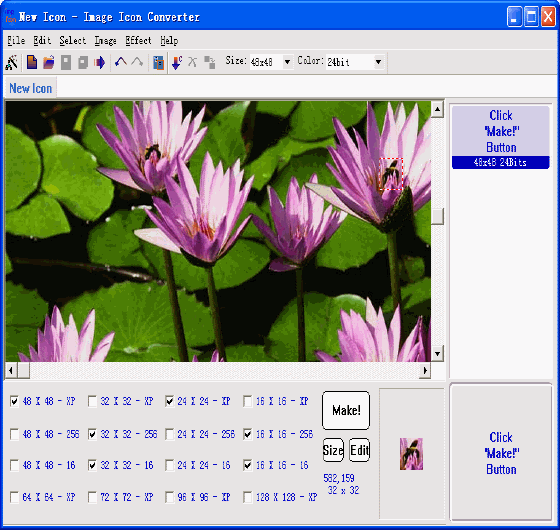
Step 3 :Setting icon image format. 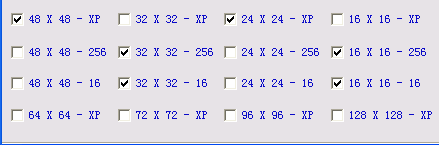
Step 4 :Make transparency backgound. 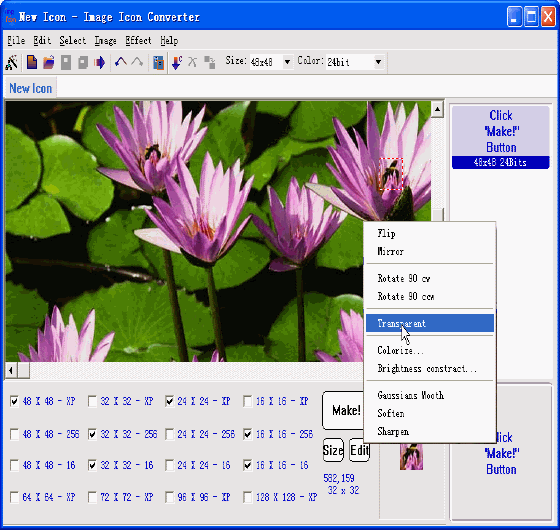
Step 5 :Click on "Make!" button. 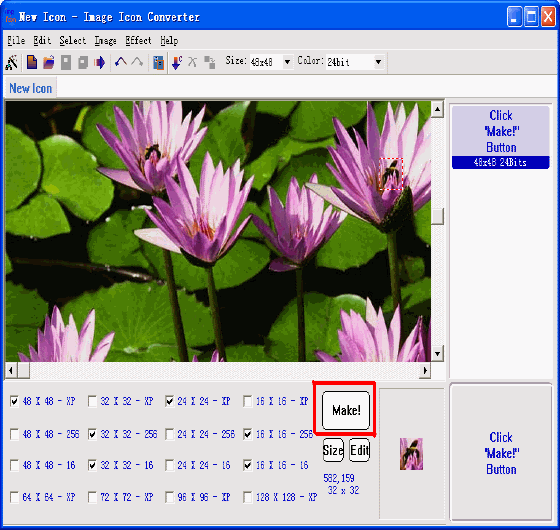
Step 6 :Save icon. 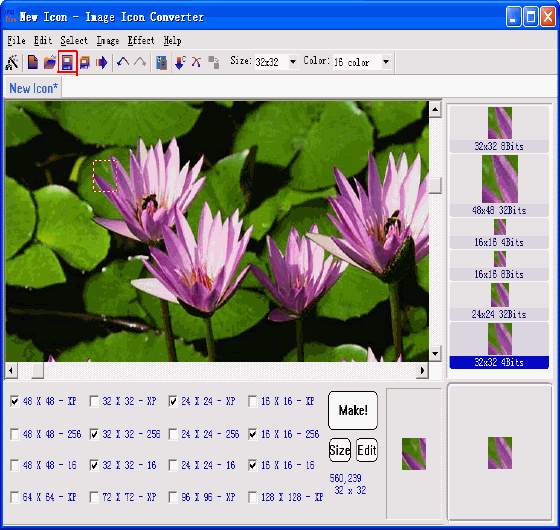
Screenshots - More Details |


| New
- News - Discount
- Mac Video
- Updated - Freeware
- Windows - Linux
- Developer - Partner
- Resource © 2009 Qweas Home - Privacy - Terms - Directory - Service - Recommend - About Qweas |