 |
bookmark this page - make qweas your homepage | |
| Help Center - What's New - Newsletter - Press | ||
| Get Buttons - Link to Us - Feedback - Contact Us |
| Home | Download | Store | New Releases | Most Popular | Editor Picks | Special Prices | Rate | News | FAQ |
|
|
TZ Popup Ads Filter 8.3 - Screenshots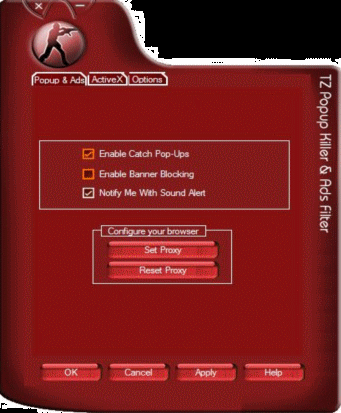
This option is to set the program aware of your current status so that it can protect you from annoying popups. 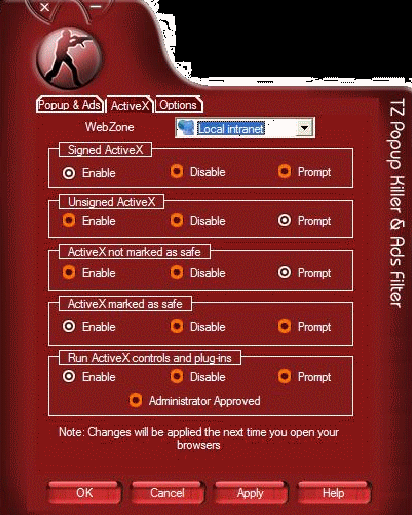
There are four zones that you can manage: the internet, local intranet, trusted sites & restricted sites. 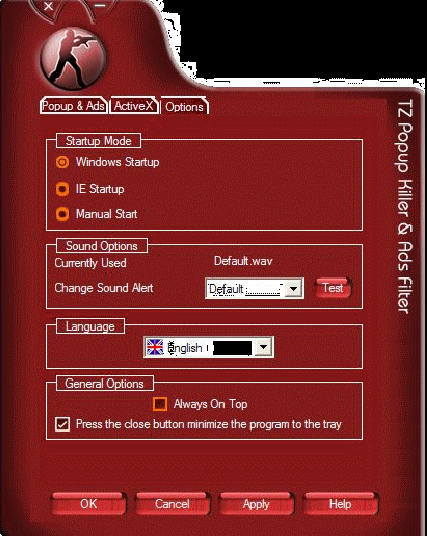
Windows Startup: This allows the program to start each time Windows has been started. Manual Start: This allows you to run the program manually (NOT RECOMMENDED). IE Startup: The program will run automatically when you launch the IE. It will also close automatically when the IE is closed. User Guide and FAQ - More Details |


|
Search -
Download -
Store -
Directory -
Service -
Developer Center
© 2006 Qweas Home - Privacy Policy - Terms of Use - Site Map - About Qweas |