 |
bookmark this page - make qweas your homepage | |
| Help Center - What's New - Newsletter - Press | ||
| Get Buttons - Link to Us - Feedback - Contact Us |
| Home | Download | Directories | Freeware | How to | Free Mac | Store | Mobile | Mac | Guides | Discount | Rate | Updated | Popular |
| Picks | Hot | Reviews | Mac Hot | New Releases | Featured | Search | Top100 | iPod iPhone | DVD | Blu-Ray | iTunes | SiteMap | FAQ |
|
|
iSofter DVD to WMV Converter - Screenshots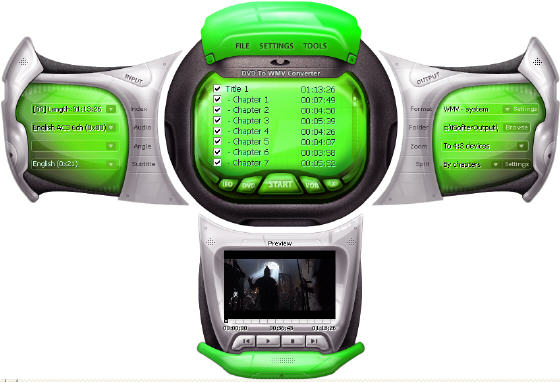
Run iSofter DVD to WMV Converter and load DVD. 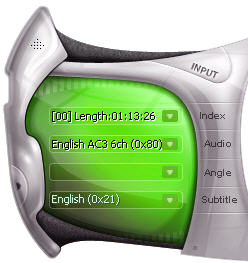
You can select the audio track for the target files in the "Audio" combo-box in the Input area. Also, you can select the "Subtitle" language or" without Subtitle" as well 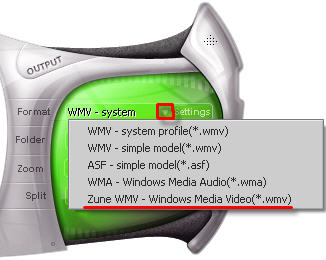
Select the target video profile in the "output format" dropdown list in the format area. You can choose to select to convert DVD to Zune WMV. 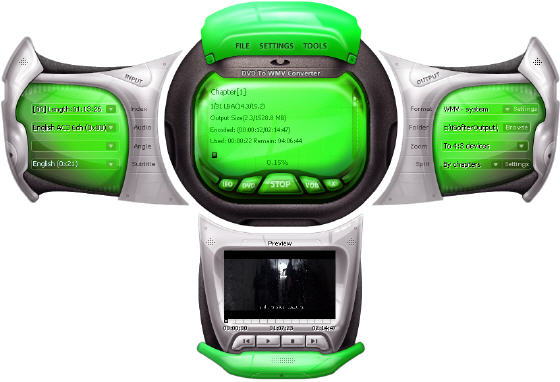
With all settings being properly done, click "Start" button, choose "Encode" to convert DVD movie to WMV. User Guide and FAQ - More Details
|


 Download Site 1
 Buy Now $29.95
| New
- News - Discount
- Mac Video
- Updated - Freeware
- Windows - Linux
- Developer - Partner
- Resource © 2009 Qweas Home - Privacy - Terms - Directory - Service - Recommend - About Qweas |