 |
bookmark this page - make qweas your homepage | |
| Help Center - What's New - Newsletter - Press | ||
| Get Buttons - Link to Us - Feedback - Contact Us |
| Home | Download | Directories | Freeware | How to | Free Mac | Store | Mobile | Mac | Guides | Discount | Rate | Updated | Popular |
| Picks | Hot | Reviews | Mac Hot | New Releases | Featured | Search | Top100 | iPod iPhone | DVD | Blu-Ray | iTunes | SiteMap | FAQ |
|
|
HT MPEG Encoder 7.0 - Screenshots of generating WMV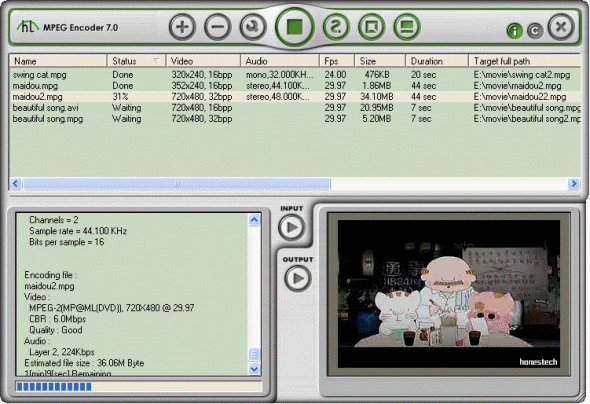
This is the main window of HT MPEG Encoder, you can add in your video files and convert to your wanted formats. 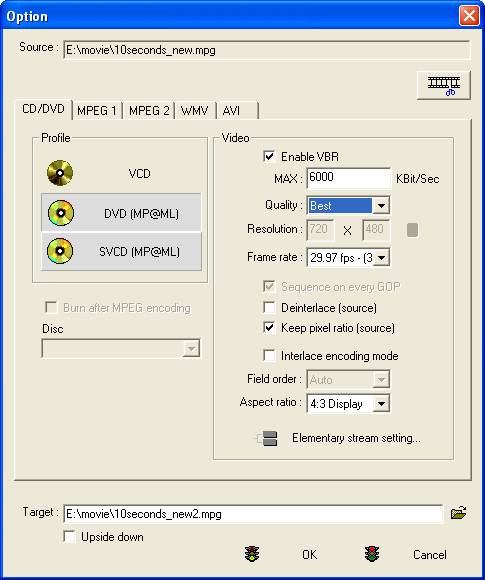
This is the option window of HT MPEG Encoder. In this window, you can set options of MPEG Encoder's main supporting video formats as CD/DVD, MPEG-1, MPEG-2, WMV, AVI, etc. 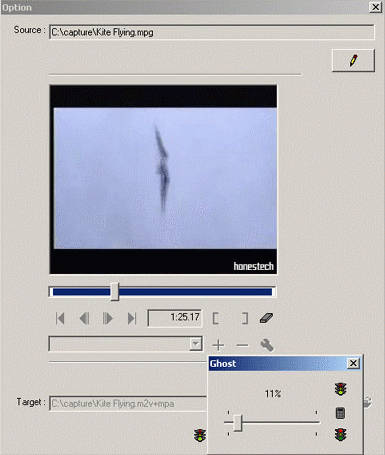
In the upper right hand corner of the Option Dialog Window is a "Change to Edit" icon. When selected, this feature makes it possible to select video segments in the file to be transcoded. It also allows video filters to be applied. User Guide and FAQ - More Details |


| New
- News - Discount
- Mac Video
- Updated - Freeware
- Windows - Linux
- Developer - Partner
- Resource © 2009 Qweas Home - Privacy - Terms - Directory - Service - Recommend - About Qweas |