 |
bookmark this page - make qweas your homepage | |
| Help Center - What's New - Newsletter - Press | ||
| Get Buttons - Link to Us - Feedback - Contact Us |
| Home | Download | Directories | Freeware | How to | Free Mac | Store | Mobile | Mac | Guides | Discount | Rate | Updated | Popular |
| Picks | Hot | Reviews | Mac Hot | New Releases | Featured | Search | Top100 | iPod iPhone | DVD | Blu-Ray | iTunes | SiteMap | FAQ |
|
|
Open Video Capture 1.0 - Screenshots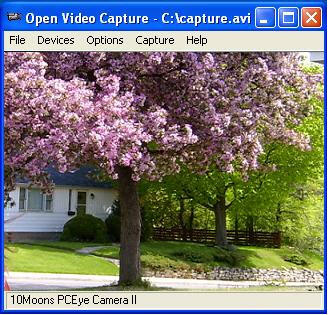
Before capture, please ensure you have installed the capture device and the device driver properly. On the File menu, click Set Snapshot Folder, set an output folder for the output picture. Then on the Capture menu, click Snapshot (hotkey Ctrl + s) to capture picture. The output bmp name is like capture.2005.07.19.22.03.22.062.bmp. 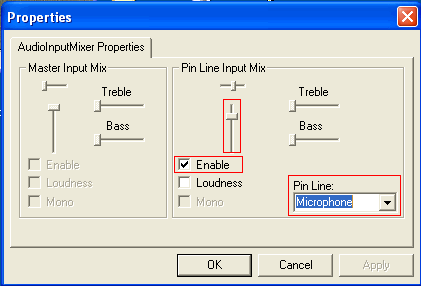
If you want to capture video from webcam etc, you should click Audio Capture Filter on the Options menu. The dialog's parameters depend on your audio capture device. 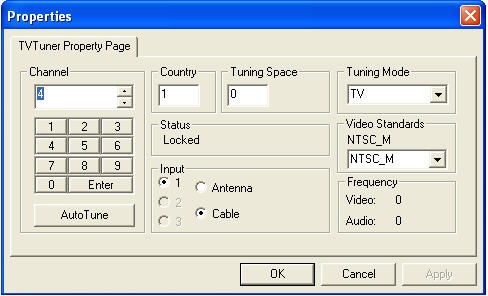
If you want to capture video from TV tuner, you should click TV Tuner, and select the TV channel on the Options menu. (The dialog's parameters depend on your TV tuner card.) User Guide and FAQ - More Details
|


 Download Site 1
 Buy Now $ 29.99
| New
- News - Discount
- Mac Video
- Updated - Freeware
- Windows - Linux
- Developer - Partner
- Resource © 2009 Qweas Home - Privacy - Terms - Directory - Service - Recommend - About Qweas |