About Qweas     RSS Feeds     BBS Forum Make Qweas.com My Home Page     Bookmark this page Register     Login     Help     Send Feedback  
Bookmark and Share
Windows Mac Linux
Mobile Games Screensavers
Audio/Video Business Communication Desktop Develop Education Games Graphic Home Network Security Servers System Web
Audio Encoders/Decoders , Audio File Players , Audio File Recorders , CD Burners , CD Players , Multimedia Creation Tools , Music Composers , Other , Presentation Tools , Rippers & Converters , Speech , Video Tools
Related Reviews - more
online voice recording

online video recording

dvd to ipod converter

helpdesk solutions

web servers solutions

ipod players

ecommerce software solutions

pdf tools

iPod Video Converter

icon tools

chm tools

faq tools

xml tools

css tools

fonts tools

theme tools

flash tools

cd tools

fax to pdf

xml editor

blog tools

play video on ipod

game tools

ping tools
Home > Audio & Multimedia > Audio File Recorders > Recording to iPod Solution

Recording to iPod Solution 5.5.1.1

Record anything you can hear through your PC speakers on your PC .

Version:5.5.1.1 Date Added:Feb 18, 2009
File Size:2.03MB Downloads: 99
License:Shareware , $14.95 to buy
System:Windows 98/2000/XP/Server/Other
Limitations:
Publisher:McFunSoft Inc. , More products
Requirements: Pentium 233 MHz, 64 MB RAM, 50M HD

Price: US$14.95


File size: 2.03MB


See rating details


See security details

Recommends
4Media Video Converter Platinum for Mac

MP4 Converter

4Media DVD Copy for Mac

Cucusoft iPod Video Converter + DVD to iPod Suite

Movkit iPod Video Converter

Easy Data Recovery

CAM Wizard

IP Mailer

Total Fax

Zuma CD

Xilisoft DVD Audio Ripper

2000th HellFire screensaver

New Updates
GoldWave

MP3 Sound Recorder XP

MP3 Recorder XP

iSofter Audio Recorder Vista

GetRadio Full

Digiters Sound Recorder

Acoustic Labs Audio Editor

GetRadio Basic

Ashampoo Burning Studio 10

FL Studio

iOrgSoft DVD to MP4 Converter

Cool Music Converter

iCoolsoft AVCHD Video Converter

Any DVD Converter Pro

iOrgSoft AVI MPEG Converter

Mortgage Calculator

My Money

Joboshare DVD to iPhone Bundle for Mac

1Password for Windows

My Lockbox

More New Updates...
Recording to iPod Solution
Full size screenshot
Recording to iPod Solution Publisher Description

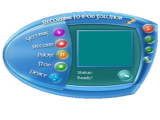
Recording to iPod Solution is an easy to use program, without bells and whistles, specially designed to digitize recordings of music cassettes, LP's to your iPod. Of course the program can also be used for sound recording. It can record anything you can hear through your PC speakers on your PC, reduce noise from your tape recordings, Enhance overall sound quality with our equalizer.

Read more about Recording to iPod Solution ...

Average User Ratings (1 votes):

Your Rating (click to rate it):

Submit Your Review


...... with our equalizer.

Want to save cassette recordings of (family) events you cherish to iPod, CD or MP3? or record your LP's and 45's that have been stuck on the attic for ages to iPod? All supported in Recording to iPod Solution! With it, you could record those brilliant sound bites right on your iPod audio player!

Recording to iPod Solution Related Software


TAGS OF RECORDING TO IPOD SOLUTION

wmv to dvd , funphotor v8 , ipod mpeg converter , png to avi , flv editor , disk doctor


Qweas is providing links to Recording to iPod Solution 5.5.1.1 as a courtesy, and makes no representations regarding Recording to iPod Solution or any other applications or any information related thereto.

Any questions, complaints or claims regarding this application Recording to iPod Solution 5.5.1.1 must be directed to the appropriate software vendor.

You may click the publisher link of Recording to iPod Solution on the top of this page to get more details about the vendor.


Site Map | Sort by Letters | Submit Software | Popular Downloads | Editor Picks | New Releases : Mac , Freeware | Updates : Mac , Freeware
Copyright © 2005-2011 Qweas Inc. All rights reserved. Get Buttons - Link to Us - About Qweas - Contact Us - Terms of Service - Copyright Policy - Guidelines - Privacy Policy