 How to Record the Music with Sound Snooper?
Sound
Snooper is sound activated recording
software that can be used to record all sound using microphone.
The sound recording software can be used as a dictaphone as
well. Sound Snooper allows user to capture sound conversations
fully automatically. Most of the time recording remains inactive,
until a sound is detected.
Here's the step-by-step guide about how to Record the Music with Sound Snooper:
Step1. Click for free download Sound Snooper and install it on your computer and run it.
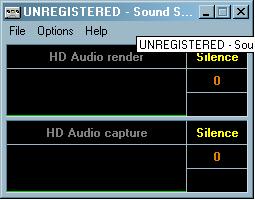
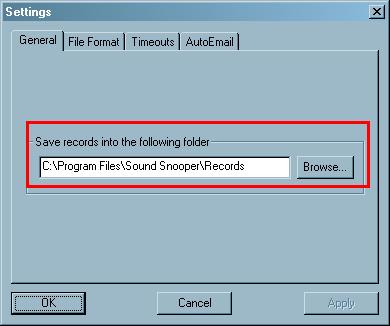
Step2. To set the folder where you want to save your target file, you may select the Output folder by clicking the "Browse" button.
Step3. You can change the "codec name". Default settings which can be found on the panel of the main window.
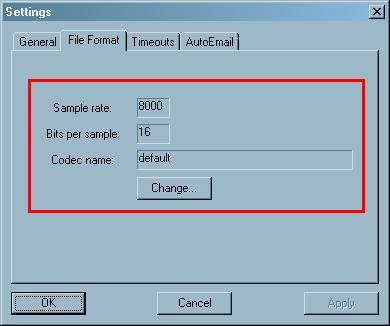
Step4. The panel we've highlighted in this step shows the settings, at present they will be set to the default setting but you can change them to whatever your personal requirements are.
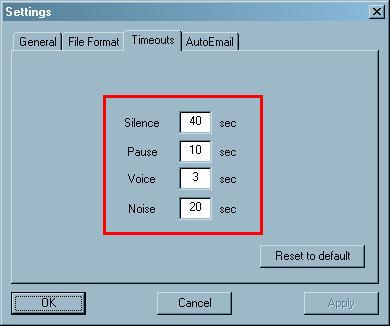
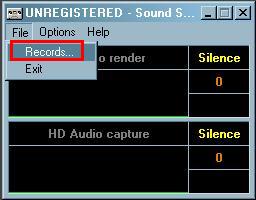
Step5. Now all that's left to do is click the "Records" button and away we go.
Related Article and Tutorials:
How to capture/record Youtube Video?
How to capture Streaming Windows Media Video Clips?
How to record Sirius Radio Shows online?
How to record XM Radio Shows online?
How to capture/download Podcasts?
|
|
|

 RSS Feeds
BBS Forum
RSS Feeds
BBS Forum












