 How to Batch Split PDF with Pdf Split Merge Pages? How to Batch Split PDF with Pdf Split Merge Pages?
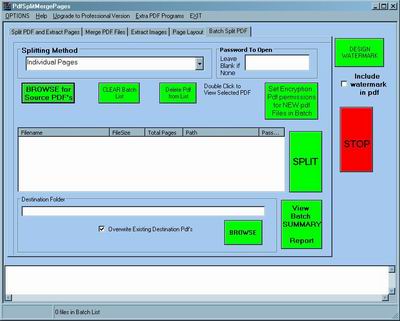
PDF Split Merge Pages Professional is a file utility to extract pages from pdf files, split pdf files into multiple parts, merge pdf pages into one pdf file, merge pdf files and extract images from pdf files. Images can be bmp, jpeg or tiff.
Step1. Please download PDF Split Merge Pages and install this software.
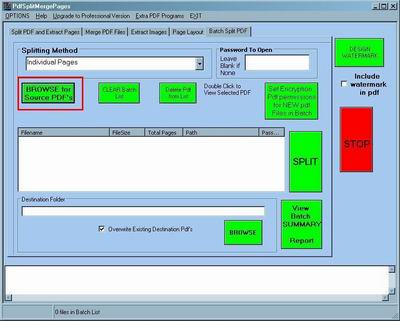
Step2. You need to choose the file that you want to convert now! Ok, please press the "BROWSE for Source PDF's" button.
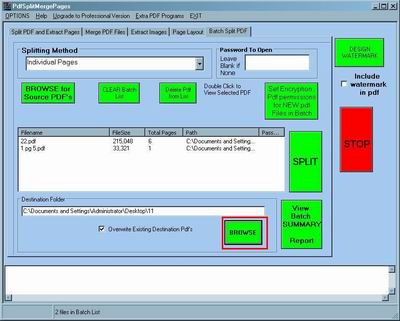
Step3. The next important thing is the destination folder, please press the "BROWSE" button.
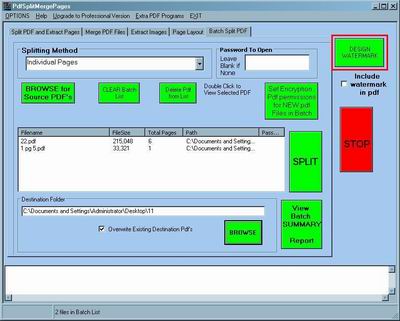
Step4. If you think these files are very important , you can add the watermark for them. Please click the "DESIGN WATERMARK" button.
Step5. If you've followed all the other steps correctly all you have to do now is press "SPLIT" button.
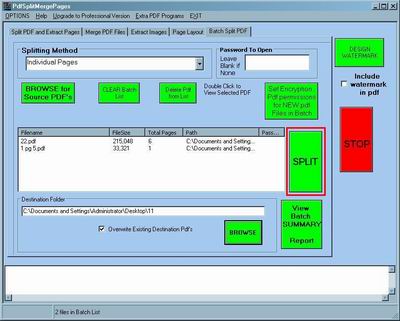
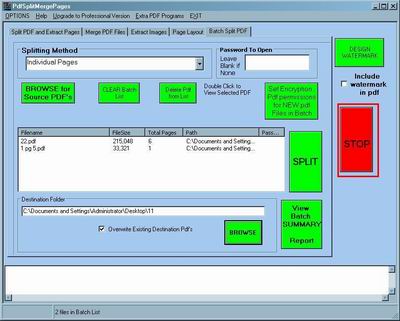
Step6. If you suddenly have an urgent thing , you can stop this activity. Please click the "STOP" button.
Related Step by Step Guides and Tutorials:
How to Convert PDF Document to TIFF Format with AP PDF to TIFF Converter?
How to Convert PDF to Image with AP PDF to Image Converter?
How to Convert Image to Pdf with Image2pdf?
How to recover lost deleted excel file?
How to convert DOCX to DOC with DOCX to DOC converter.
How to play AVCHD MTS files with MTS Player. what is MTS?
How to convert word2PDF, with word2PDF converter?
How to convert PowerPoint/PPT to PDF files?
|

 RSS Feeds
BBS Forum
RSS Feeds
BBS Forum











