Old Version of Player
Detailed Description of Player 1.7.0
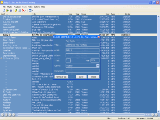 Audio and video player, playlist editor, mp3 tags editor. Supported formats include MP3, WAV, MID, WMA, CDA, AVI, MPG, ASF, WMV, WM, SND, AU, AIFF, M1V, MP2. The list and playing position saved automatically. Also supports m3u list manipulations: load, save, modify. 5 displaying modes: micro, brief, medium, full and background.
Modes
5 different views allow you to choose from many views. Even in micro mode you can resize the window of the Player. 2 modes without playlist: brief and micro and 2 modes with playlist: medium and full. The Player remembers the last chosen mode from the first two and the last chosen mode from the second, it allows you to change between them easily by pressing 'Switch mode' button. Full mode allows you to sort the playlist by any criteria such as artist, title, genre, year. 5th mode (background mode) allows you to control the Player from popup menu in the system tray.
Video window
Video window is a separate window without border. Allowed video modes are 25%, 50%, 100%, 200%, 300%, 400%, full screen with control, full screen without control. Control (player window in brief mode) can be docked at top of the video window, at bottom of video window or undocked.
Playlist
You can add items in the playlist, sort the list, delete selected items, delete not existing files with one click. Also you can assign additional file to any media file and add virtual tracks (cue tracks).
Virtual tracks
Virtual track is not an actual track, it contains only start position and description, not actual data. It is made to make navigation through each individual file more friendly. Especially it can help you to play long files, such as video films or dj mixes. You can fully manipulate the virtual tracks inside the Player. Cue file format is used for saving all information about virtual tracks. Some of its advantages are ability to edit cue files manually (it's a text format) and to import a cue file in many CD burning programs.
Player is designed for:
WinOther,Win98,Win2000,WinXP,WinServer,WinVista,WinVista x64
Player has the following requirements :
Windows Media Player 5.2 or higher
TAGS OF PLAYER

zune player ,
m player ,
game player ,
evo player ,
dat player ,
avi. player ,
wm flv player
|






 RSS Feeds
BBS Forum
RSS Feeds
BBS Forum

