Detailed Description of PowerISO 5.4
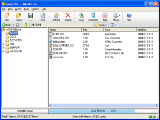 PowerISO is a powerful CD/DVD image file processing tool, which allows you to open, extract, create, edit, compress, encrypt, split and convert ISO files, and mount these files with internal virtual drive. PowerISO can process almost all CD-ROM image files including ISO and BIN. PowerISO can be used easily, which support shell integration, context menu, drag and drop, clipboard copy paste.
With PowerISO, you can:
1. Open and extract ISO File.
2. Create ISO file from hard disk files or CD/DVD-ROM.
3. Edit an existing ISO file directly.
4. Convert image files between ISO/BIN and other formats. PowerISO can convert almost all image file formats to a standard ISO format file.
5. Make bootable ISO file, get boot information from bootable ISO file.
6. Make floppy disk image file.
7. Optimize files to save disk space while saving ISO file.
8. Mount ISO file with internal virtual drive. You don't need install any other virtual drive software.
9. Compress, encrypt or split image file. DAA(Direct-Access-Archive) is an advanced format for image file, which supports some advanced features, such as compression, password protection, and splitting to multiple volumes. It can be handled directly just like other formats, such as ISO, BIN, ...
PowerISO Main Features:
* PowerISO support almost all CD/DVD-ROM image file formats(ISO, BIN, NRG, CDI, DAA and so on).
* Note: DAA(Direct-Access-Archive) is an advanced format for image file, which supports some advanced features, such as compression, password protection, and splitting to multiple volumes. It can be handled directly just like other formats, such as ISO, BIN, ...
* Support both 32-bit and 64-bit Windows.
* Open and extract ISO File.
* Create ISO file from hard disk files or CD/DVD-ROM.
* Edit an existing ISO file directly.
* Convert image files between ISO/BIN and other formats. PowerISO can convert almost all image file formats to standard ISO format file...
PowerISO is designed for:
Win98,WinOther,Win2000,WinXP,WinServer,WinVista,WinVista x64
TAGS OF POWERISO

pot limit ,
maximize minimize close or restore ,
vb6.0 package creator ,
mp4ipod software ,
insurance buddy ,
video montage ,
bufferzone pro ,
amsat energy corporation ,
dvd audio burning for mac ,
australian flower shops ,
music download ,
free slot machine games ,
i want to convert qcp to mp3
|






 RSS Feeds
BBS Forum
RSS Feeds
BBS Forum

