Old Version of Movavi VideoSuite
Detailed Description of Movavi VideoSuite 6.1.4
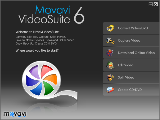 Movavi VideoSuite gives you SIX essential tools for video processing in a single package. Edit. Convert. Rip. Save to mobile devices. Download online video. Split and Merge. Capture. Burn. Copy. Backup.
Here are just some of the things you can do with Movavi VideoSuite:
- Convert video - including HD - to any formats and devices
- Rip, backup and copy unprotected DVDs
- Save video for mobile devices - iPod, iPhone, Apple TV, PSP, Zune, PDA/Pocket PC (including BlackBerry), Creative Zen, Archos, Epson media players, cell phones, smartphones, and more
- Capture video - including HD - from MiniDV camcorders and webcams
- Record narrated screencasts - videos of what's happening on your computer screen
- Download and convert online video from YouTube and other video-sharing sites
- Split and join video files, cut out unwanted segments
- Edit video on a timeline with a choice of powerful editing tools
- Use separate timeline tracks for video, audio and text titles
- Apply artistic effects to your video to liven it up
- Improve video quality with professional filters
- Choose from more than 20 stylish transitions to insert before, after or between video clips
- Create stunning image slideshows
- Add a custom soundtracks and/or a voiceover to your video project or a slideshow
- Add custom text titles to your video or slideshow
- Burn data, audio, video CDs and DVDs
- Create Hollywood-style animated DVD menus
- Create ISO images of CDs and DVDs
and much more...
All in all, Movavi VideoSuite is an ultimate collection of Movavi's video software programs that gives you unprecedented power over your video and media resources. It's guaranteed to suit all your video processing needs and help you get exactly the results you want.
No need to waste time and money buying the programs separately. Take advantage of this great offer to get Movavi VideoSuite just for $59.99 (that's less than $10 for each of the six programs)!
Movavi VideoSuite is designed for:
WinXP,Win2000,WinVista
Movavi VideoSuite has the following requirements :
Windows 2000/XP/Vista
TAGS OF MOVAVI VIDEOSUITE

yeah write ,
movavi video editor - personal ,
acehide for mac ,
movavi video converter ,
dvd burning ,
movavi video editor ,
ulltimate video converter ,
movavi aduiosuite ,
stl import ,
movavi videosuite 7 ,
little figter ,
font code 128ab tall
|






 RSS Feeds
BBS Forum
RSS Feeds
BBS Forum

