 How to convert AVI MOV WMV 3GP MP4 VOB MPEG to iPod on Mac? How to convert AVI MOV WMV 3GP MP4 VOB MPEG to iPod on Mac?
This page will show you how to convert AVI MOV WMV 3GP MP4 VOB MPEG to iPod on Mac step by step with iPod Video Converter for Mac.
iPod Video Converter for Mac is a powerful Mac iPod video converter which enables you converting all popular audio and video files, such as AVI, MPEG, WMV, MOV, MP4, VOB, AAC, AC3, MP3, to iPod video supported by iPod/iPhone including MP4, M4A(AAC), MP3, MOV, etc.
Step1. Please download iPod Video Converter for Mac and run it on your Apple computer.
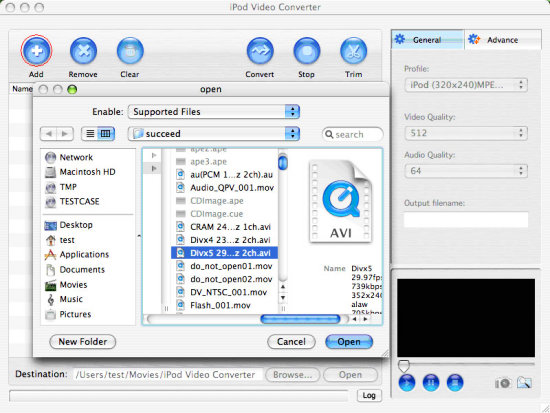
Step2. Load files you'd like to convert. Add the video or audio files you'd like to convert by clicking "Add" button in the main interface.
Input format supported: AVI, MPEG, WMV, MOV, MP4, VOB, AAC, AC3, MP3, etc.
Step3. Set output format. In "Profile" drop-down menu, you may select output format. The software allows setting different output formats according to different files.
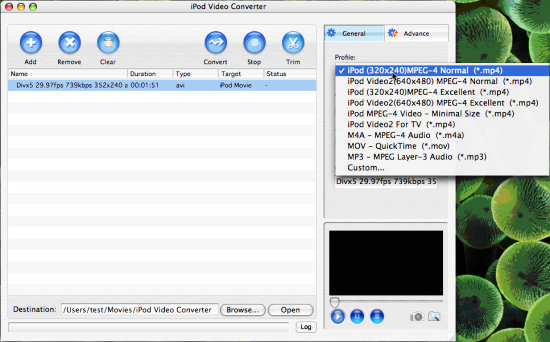
Tips: by selecting iPod format (*.mp4) in "Profile" drop down list box, the software will output .mp4 file playable on your iPod.
Step4. Set General conversion mode (Optional).
After selecting certain output format, you can choose 'General' tab on the right top which will show its general standard. By clicking certain settings such as 'Video Quality', ' Audio Quality', 'Output filename', you may set it.
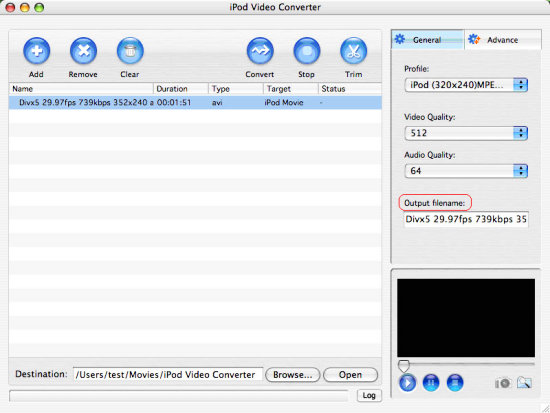
Tips: Select the output folder by clicking the 'Browse...' button or directly enter a path in 'Destination'.
Step5. Preview and Trim function
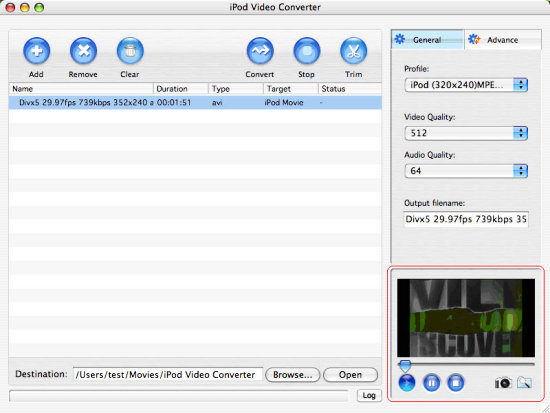
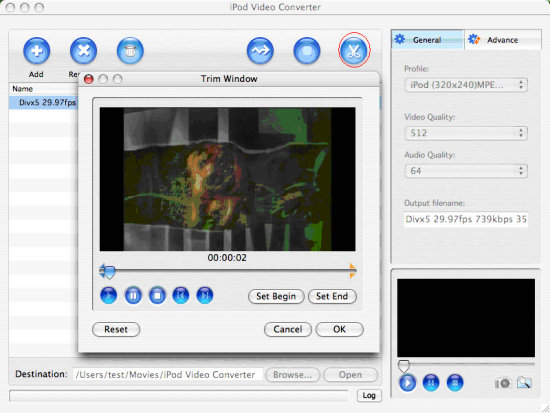
After selecting a video file, you can have a preview of the file on the right bottom preview window. And you can set Start/End of the output files as you like by clicking 'Trim' button and edit in the pop-up window.
Step6. Set Advance conversion mode (Optional)
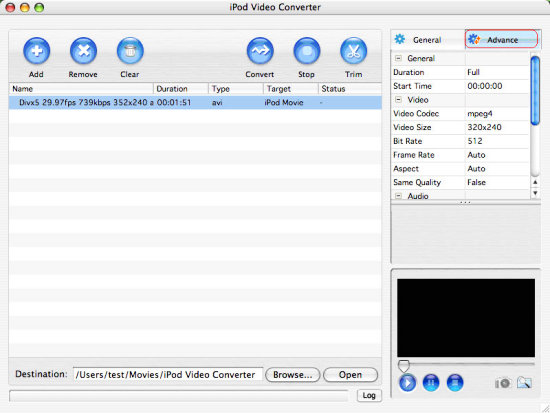
After selecting certain output format, you can choose 'Advance' tab on the right column which will show its advance standard. By clicking certain settings such as 'Start Time', 'Video Size', 'Bit rate' and so on, you may set it.
Step7. Start converting
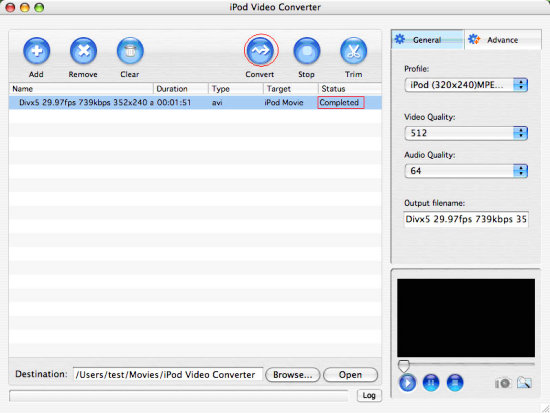
Finally, click "Convert" in the File menu to start converting. And after a successful conversion, the info "Completed" will show.
More Mac Software:
 Mac
Software - Audio & video software for Mac, Parallels desktop for Mac, Flash software & graphic software for Mac etc. Mac
Software - Audio & video software for Mac, Parallels desktop for Mac, Flash software & graphic software for Mac etc. |
 Mac
Video Tools - Mac DVD ripper, Mac DVD
to iPhone iPod MP4 video converter, Mac DVD copy, Mac DVD Creator etc. Mac
Video Tools - Mac DVD ripper, Mac DVD
to iPhone iPod MP4 video converter, Mac DVD copy, Mac DVD Creator etc. |
Related Step by Step Guides and Tutorials:
How to convert AVI MPEG MP4 to PS3 iPod FLV Apple TV Zune etc. on Mac?
How to convert MPEG MOV 3GP VOB AVI to MP4 M4A AAC on Mac?
How to convert iTunes DRM protected music to MP3 AAC AIFF WAV on Mac with DRM converter for mac?
How to convert/rip DVD to MPEG MOV AVI MP4 WMV Blackberry etc. on Mac?
How to convert DVD to iPhone on Mac OS X step by step?
How to convert DVD to Apple TV on Mac OS X?
How to convert DVD to MP4 on Mac step by step?
How to convert DVD to iPod MP4 video and M4A audio on Mac?
|

 RSS Feeds
BBS Forum
RSS Feeds
BBS Forum











