 How to convert DVD to MP3, WMV, WMA? How to convert DVD to MP3, WMV, WMA?
This guide will describe the basic steps how to convert DVD to MP3, WMV, WMA or other format audio files using Alive WMA MP3 Recorder.
Alive WMA MP3 Recorder records any audio source from your computer into MP3, WAV, WMA, OGG, and VOX files such as MIDI to MP3, DVD to MP3, CD to MP3, etc. With Alive WMA MP3 Recorder you can record sound from microphone, line-in, streaming audio from the Internet, or music played by WinAMP, Windows Media Player, Quick Time, RealPlayer, Power DVD, VCD, Flash, Games, etc..
Step1. Download Alive WMA MP3 Recorder at http://www.qweas.com/download/audio_mp3/sound_recorders/alive_wma_mp3_recorder.htm, and install it.
Step2. Start Alive WMA MP3 Recorder
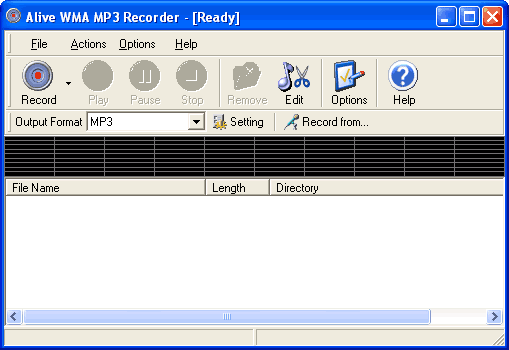
Step3. Define audio source
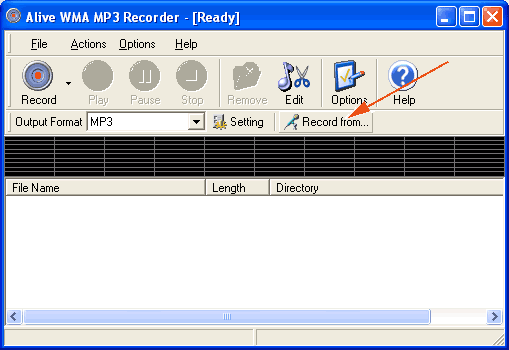
Click "Record from..." button, you will be prompted by a new window like the following:
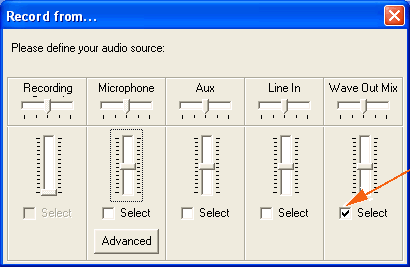
What you need to do now is select the "Wave Out Mix" item that the arrow shows.
Note:maybe the "Wave Out Mix" item would not be found in your Computer, OK, please find "Mixed Output", or "Stereo Mix" item. Because it is different for different sound card.
Step4. Play your DVD via Windows Media Player or other DVD Player.
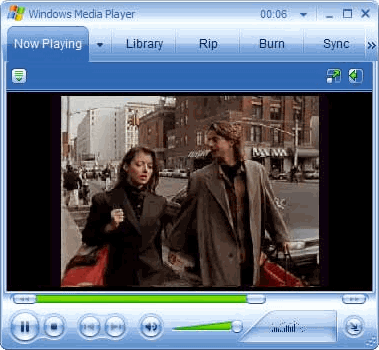
Note: You can found DVD Player at here. Click to chose
Step5. Save audio from DVD to MP3
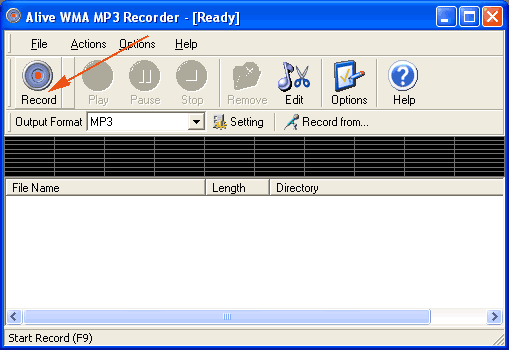
You should be back to Alive WMA MP3 Recorder's screen, and click "Record" button to start the convertion proccess.
Step5. Get your MP3
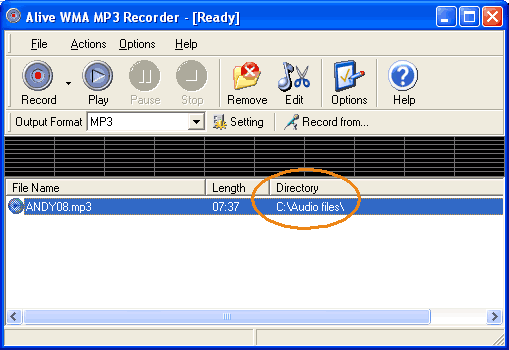
When you want to stop recording, just click "Stop" button, the MP3 file is located in the specified directory.
Related Step by Step Guides and Tutorials:
How to convert MIDI to WAV with MIDI to MP3 Converter ?
How to convert MP4 to MP3 with ImTOO MP4 Video Converter?
How to burn music to DVD step by step?
How to record TV on PC step by step?
How to convert MP4 to PSP with Mooma Video to PSP Converter?
How to transfer music and video between iPods ?
How to add subtitles to your DVD step by step?
|

 RSS Feeds
BBS Forum
RSS Feeds
BBS Forum











