 How to burn Mpeg DivX XviD WMV ASF MP4 AVI to DVD on Mac? How to burn Mpeg DivX XviD WMV ASF MP4 AVI to DVD on Mac?
This page will show you how to burn Mpeg DivX XviD WMV ASF MP4 AVI to DVD on Mac step by step with DVD Creator for Mac.
DVD Creator for Mac provides easy and fast ways to convert AVI to DVD, MPEG to DVD, DivX to DVD, burn DVD folder to DVD, DVD ISO file to DVD for Mac! The Mac DVD burner can convert popular video formats such as MPEG, DivX, WMV, XviD, DV, VOB, AVI to DVD and burn DVD movie to be played on portable or home DVD players.
Step1. Please download DVD Creator for Mac and run it on your Apple computer.
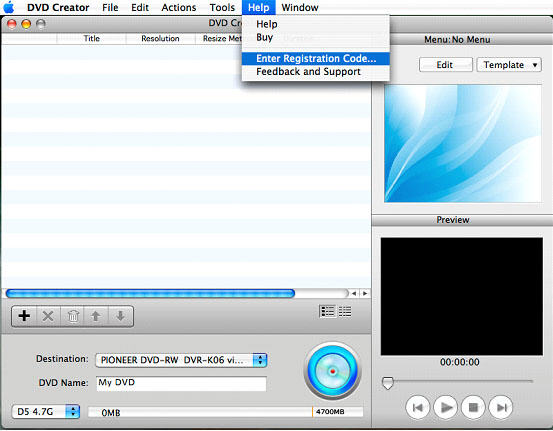
Step2. Run the DVD Creator for Mac and add registration code in the "Help" button. Now, you can convert your DVD at any time.
Step3. Add files that you want to convert. Here are two ways. One is to click "+" in the main interface, the other is to click "Add Video Files" option in the File menu. It can create DVD from AVI, MPEG, WMV, ASF, DV, DivX, XviD, VOB, 3GP, 3G2, MP4, NUT, YUV, H.264, M4V files.
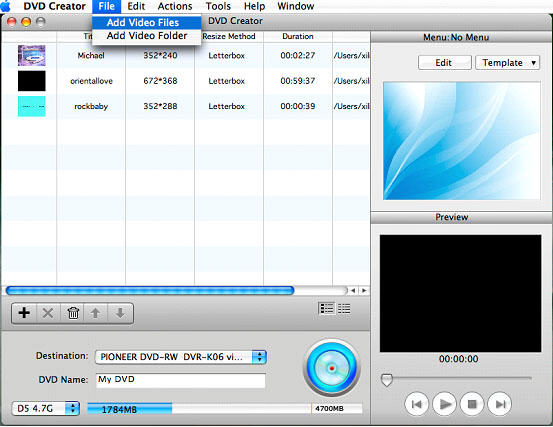
Tips:
1. You can also add ISO files or DVD folder under "Action" menu.
2. There are three Resize Methods you can pick, "letterbox", "Pan and Scan" and "Full Screen".
3. More optional preferences you can set under "DVD Creator" menu, such as choosing the video format, quality and so on.
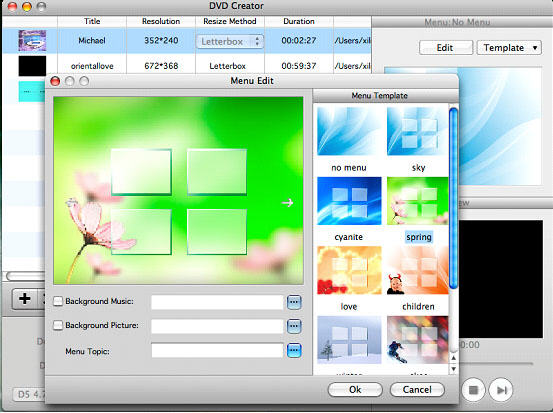
Step4. Set Menu topic, background music and picture by clicking "Edit" button on the right of the main interface.
Step5. You can preview your DVD now before creating DVD. It's awesome, right?
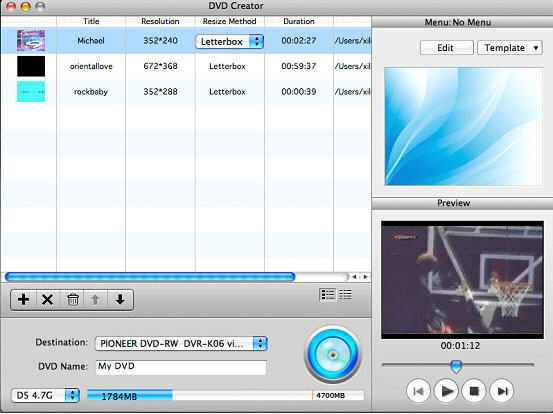
Step6. Click destination to choose the output file you want. The default method is to make a DVD Disc, but you can also save your videos as ISO file or DVD folder.
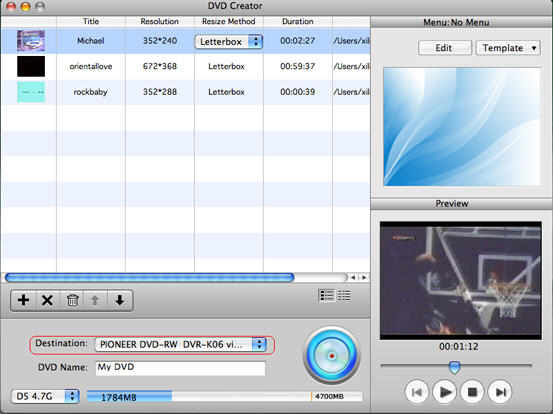
Step7. Burn your DVD at once. Just click the round circle button on the main interface.
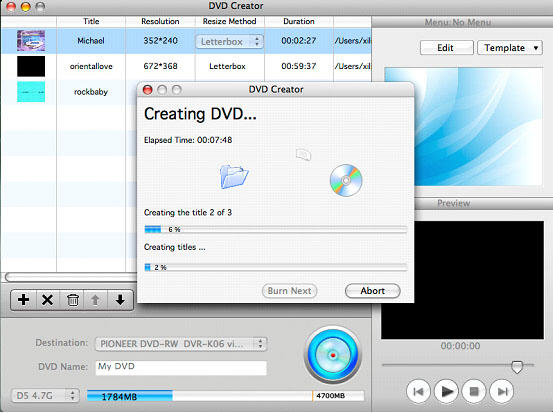
Tips:
In this case, Detailed process and Total process will be shown on your Mac, don’t worry about it, the software is busy converting now, wait a moment to see your great job.
More Mac Software:
 Mac
Software - Audio & video software for Mac, Parallels desktop for Mac, Flash software & graphic software for Mac etc. Mac
Software - Audio & video software for Mac, Parallels desktop for Mac, Flash software & graphic software for Mac etc. |
 Mac
Video Tools - Mac DVD ripper, Mac DVD
to iPhone iPod MP4 video converter, Mac DVD copy, Mac DVD Creator etc. Mac
Video Tools - Mac DVD ripper, Mac DVD
to iPhone iPod MP4 video converter, Mac DVD copy, Mac DVD Creator etc. |
Related Step by Step Guides and Tutorials:
How to convert MPEG WMV VOB MP4 AVI to iPhone Movies on Mac?
How to convert AVI MPEG MP4 to PS3 iPod FLV Apple TV Zune etc. on Mac?
How to convert AVI MOV WMV 3GP MP4 VOB MPEG to iPod on Mac?
How to convert iTunes DRM protected music to MP3 AAC AIFF WAV on Mac with DRM converter for mac?
How to convert/rip DVD to MPEG MOV AVI MP4 WMV Blackberry etc. on Mac?
How to convert Flash SWF to FLA with SWF to FLA converter on Mac?
How to extract SWF objects (morphs, shapes, motions, etc.) on Mac?
How to convert DVD to iPhone on Mac OS X step by step?
How to convert DVD to Apple TV on Mac OS X?
How to convert DVD to MP4 on Mac step by step?
How to convert DVD to iPod MP4 video and M4A audio on Mac?
|

 RSS Feeds
BBS Forum
RSS Feeds
BBS Forum











