 How to Convert XviD to DVD, WMV to DVD step by step? How to Convert XviD to DVD, WMV to DVD step by step?
DVDsanta is an All-in-One software that lets you copy, create, convert and burn your DVD movies. It can copy 9GB double layer DVD movies into a 4.7GB DVD-R disc, can turn your photos into DVD movies with Hollywood style motion effects, can convert other video formats(avi, wmv, vob, asf, DivX, Mpeg,...) into DVD video, can transfer miniDV camcorder tapes directly to DVD video. DVDsanta is extremely easy to use, fast and powerful.
You need to have some latest audio and video codecs installed on your PC.
1. Install latest Microsoft DirectX 9.
2. Install latest Microsoft Windows Media 9.
3. Install the latest Official Xvid codec.
4. Install the latest Official Divx codec.
Step1. Please download DVDsanta from http://www.qweas.com/download/video_dvd/movie_makers/dvdsanta.htm
and install this software.
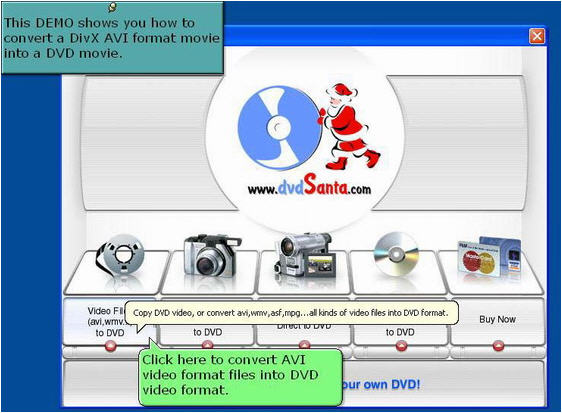
Load your video files into DVDsanta. Click "Video Files to DVD" button to convert XviD, WMV etc video files..
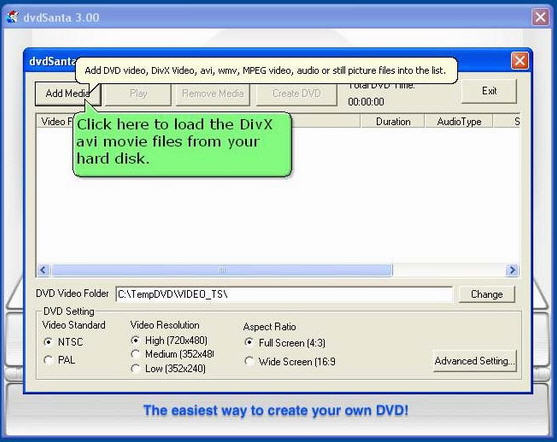
Click "Add Media" button to load video files from the hard disk.
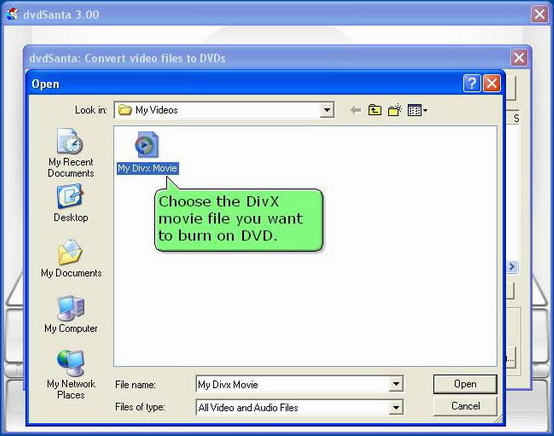
Select the XviD, WMV etc video file you want to burn on DVD.
Step2. Convert the XviD, WMV etc video files to DVD video format.
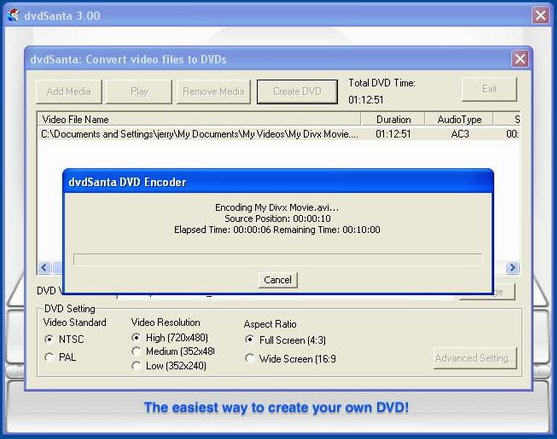
Click "Create DVD" button to start converting the XviD, WMV etc video file.
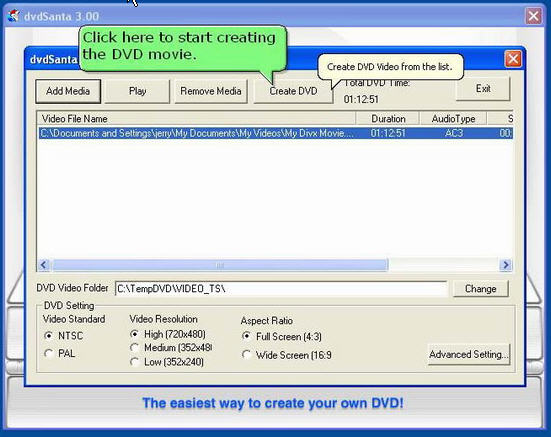
Wait until the conversion is complete.
Step3. Burn the DVD.
DVDsanta has done preparing the DVD video, now it's time to burn your disc.
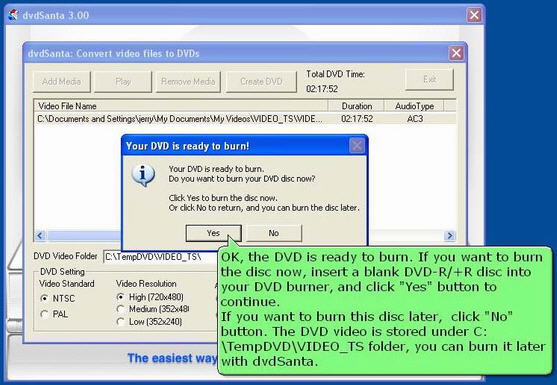
Before you burn the disc, you can use a software DVD player such as PowerDVD to examine the DVD video created by dvdSanta. The DVD video is stored under c:\TempDVD\VIDEO_TS folder.
Now you can insert a blanc DVD-R/+R disc in your DVD burner now and click "Yes" to continue.
If you want to burn this DVD disc later, you can click "No" button now and quit dvdSanta. The DVD video is stored under C:\TempDVD\VIDEO_TS folder. You can burn it later using dvdSanta and follow "How to Copy a 4.7GB Single Layer DVD movie"
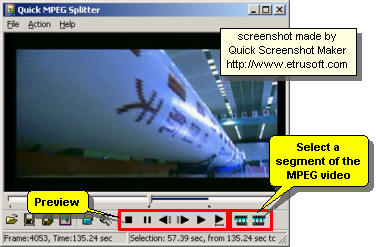
If you are a using DVD+R/RW disc, just click "Burn!" and wait dvdSanta finish the burning job. If you are using a DVD-R/RW disc, you should select burning speed to 1x,2x,or 4x, then click the "Burn!" button to burn the disc.
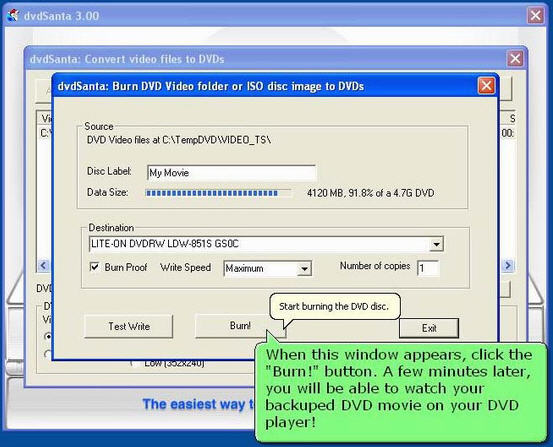
And that's it! When the burning is finished, you can play your newly made DVD in your DVD player and watch the movie on TV!
Related Software Step by Step Guides
and Tutorials:
How to convert AVI MPEG 3GP VOB MOV to DPG videos for playing on DS?
How to convert MOD to AVI, MPEG, WMV, MP4 with MOD converter?
How to convert OGM to AVI/MP4/DVD/MOV with OGM converter?
How to rip DVD to DivX with DVD Ripper?
How to burn DVD movie from AVI MPEG DivX rmvb Mov etc.?
How to convert MOV to DVD or burn MOV to DVD step by step?
How to convert Flash to MPEG and burn Flash files to DVD, VCD and SVCD?
How to convert DVD to flash, DVD to SWF, DVD to FLV, DVD to Screensaver and exe file?
|

 RSS Feeds
BBS Forum
RSS Feeds
BBS Forum











