 How to recover lost iPod music, photo, video, songs, etc? How to recover lost iPod music, photo, video, songs, etc?
iPod Data Recovery Software is helpful to recover and retrieve your lost Mp3 Music, Photo, video, pictures, songs, images, file, folders and all previously existing data on your iPod digital media player. Support all major iPod models that include iPod mini, nano, shuffle and iPof first generation to next generation audio-video models and Sony Toshiba Samsung MP3 player and other equivalent devices.
Here's the tutorial about how to recover lost iPod music, photo, video, songs, etc with iPod Data Recovery Software.
Step1 Free to Download iPod Data Recovery Software and install it. The program will scan all iPods attached to your system and the initial screen below is displayed.
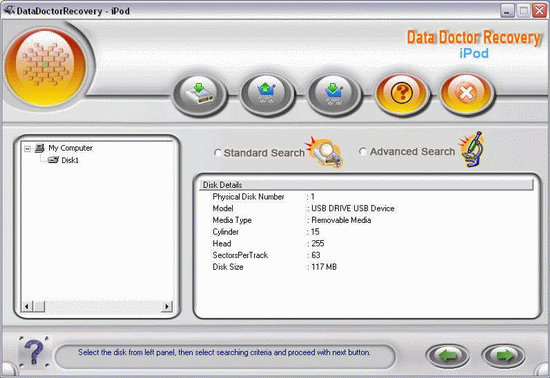
Step2 Select the disk from left panel and select the searching criteria and proceed with next button. There two types of search: 'Standard Search' and 'Advanced Search'. If Standard search does not show your desired result then you need to use " Advanced Search ".
Step3 Select the disk and 'Standard Search' or ' Advanced Search', Click next button.
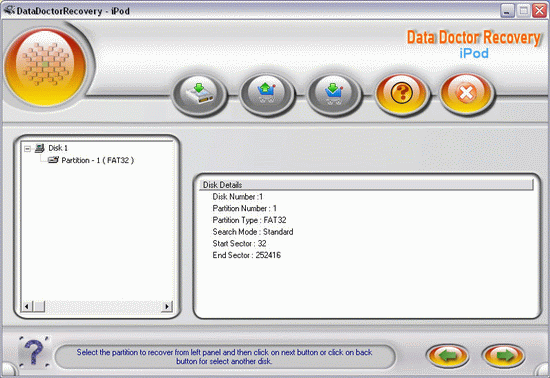
Step4 Select the partition to recover from left panel. Then click on next button or use "Search More Partitions" for search missing partition. After click on next, this window is displayed.
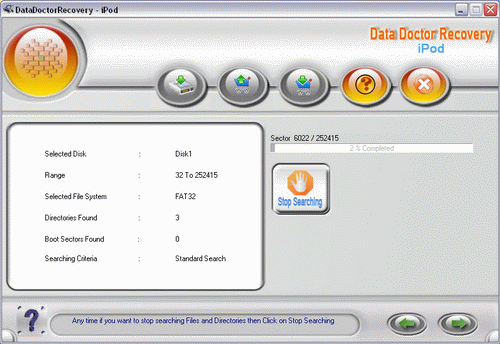
Step5 After complete searching, click Next to continue. Wait for some time, then the window is displayed as below.
If you want to save any Files or Directories then select Files or Directories from panel and click on save button or right click on mouse to save at the desired location.
Related
Software Step by Step Guides and Tutorials:
How to Recover Compressed files on NTFS Drive?
How to recover data from damaged or formatted disks?
How to recover zune (aif, aac, mid, midi, mpa, wav and wma, mp3) music?
How to recover files from dynamic-disk in Windows?
How to recover files from formatted hard drives?
How to recover files from Raw Hard Drive?
How to recover lost files from re-partitioned hard drives?
How to recover hard disks involving Scandisk and Chkdsk error?
How to recover fdisked drives?
|

 RSS Feeds
BBS Forum
RSS Feeds
BBS Forum











