 How to rip music from BBC radio station with Mini-stream Ripper? How to rip music from BBC radio station with Mini-stream Ripper?
The guide will show you how to rip music from BBC radio station with Mini-stream Ripper step by step. The detailed steps are as follows:
Step1. Please download Mini-stream Ripper and install it; you can know more about it by visiting here: http://www.qweas.com/download/audio_mp3/cd_rippers/mini_stream_ripper.htm
Step2. Click on the Load button on the left of Mini-stream Ripper's screen to open the URL Loading screen.
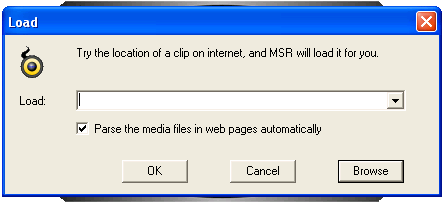
a. Open Mini-stream Ripper's URL loading screen.
Step3. Open the Radio Show which you want to rip in a new Internet Explorers window.
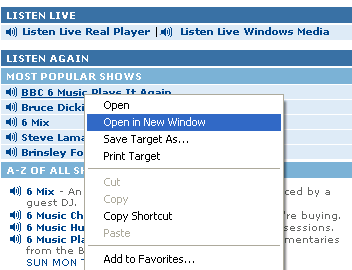
b. Open the Radio show "BBC 6 Music Plays It Again " in a new window.
Step4. Copy the text from Internet Explorers Address bar, and paste the text in Mini-stream Ripper's URL loading screen. Then Click on the Ok button to start loading process.
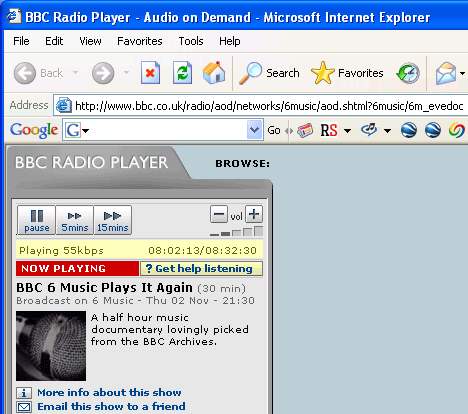
c. The new window of radio show "BBC 6 Music Plays It Again ".
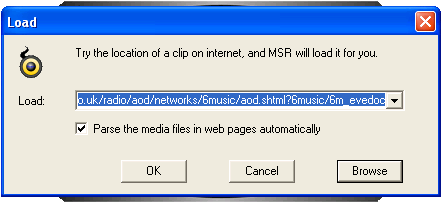
d. Paste the address text on URL loading screen.
Step5. If the Radio show has been sucessfully loaded, you'll get the message "Please press 'Start' to start ripping". If not, you'll get an error message.
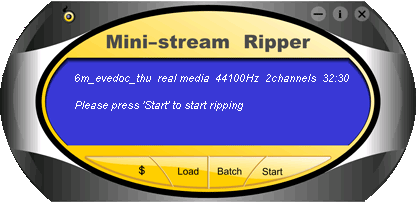
e. The radio show "BBC 6 Music Plays It Again " has been loaded successfully.
Step6. Click on the Start button on the right of Mini-stream Ripper's screen to start ripping.
Related Step by Step Guides and Tutorials:
How to save/download/capture/rip/record RTSP streams?
How to rip DVD to XviD step by step?
How to transfer music from iPod to Mac/iTunes?
How to convert TOD to AVI, MPEG, WMV on Mac
How to convert M2TS to MKV, AVI, MPEG, MP4, MOV, etc
How to play AVCHD MTS files with MTS Player. what is MTS?
How to convert DAT files to AVI, DAT to MP4, dat to MPEG.
How to convert DVR MS to MP4 with DVR MS to MP4 converter.
|

 RSS Feeds
BBS Forum
RSS Feeds
BBS Forum











