 How to convert AVI to iPhone MPEG4 for mac using Xilisoft iPhone Video Converter for Mac? How to convert AVI to iPhone MPEG4 for mac using Xilisoft iPhone Video Converter for Mac?
Xilisoft iPhone Video Converter for Mac - The iPhone Video Converter for Mac provide an ideal solution to convert all popular audio and video files, such as AVI, MPEG, WMV, MP4, VOB, AAC, AC3, MP3, to the formats supported by iPhone/ iPod including MP4, M4A, MP3 etc.
AVI to iPhone MPEG4 for mac, Mac AVI to MPEG4 converter, Mac AVI to iPhone Converter
Step1. Please download Xilisoft iPhone Video Converter for Mac; you can know more about it by visiting here: http://www.qweas.com/download/video_dvd/video_converters/xilisoft_iphone_video_converter_for_mac.htm
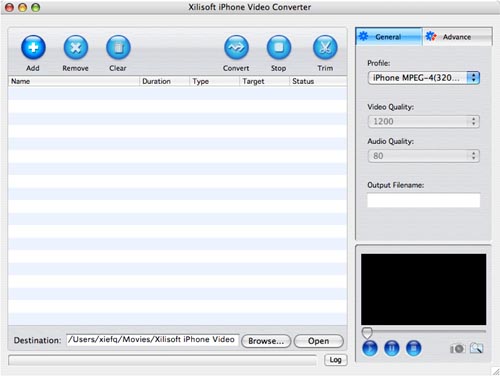
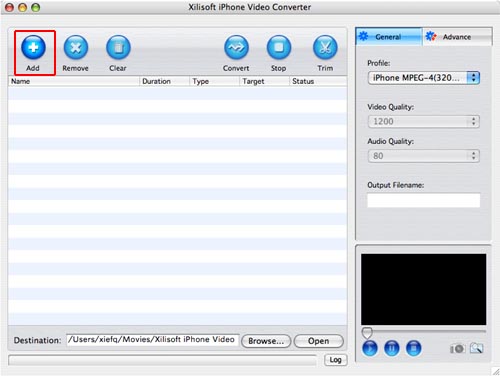
Step2. Click "Add" button to import AVI files.
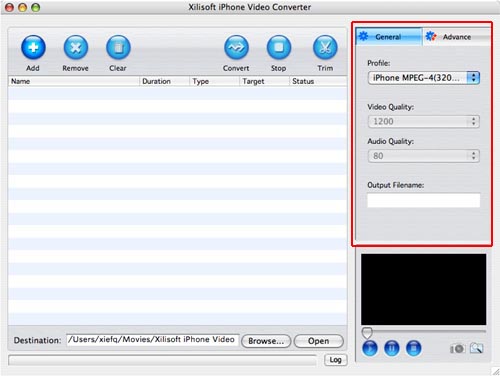
Step3. Click "Profile" drop-down list to select an iPhone profile as your output format on the right "General" panel.
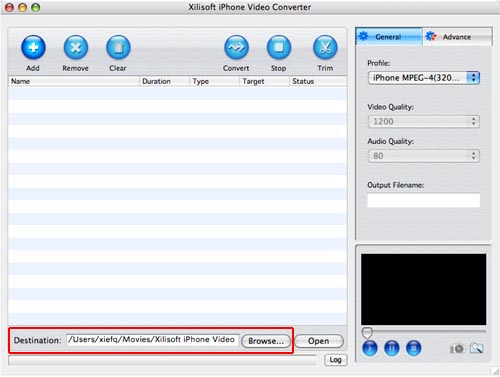
Step4.Click "Browse..." button to select an output folder for the converted iPhone files.
Step5. Click "Convert" button to start to convert AVI to iPhone.
Related
Software Step by Step Guides and Tutorials:
How to convert AVI MPEG 3GP VOB MOV to DPG videos for playing on DS?
How to convert AVI to ISO with AVI to ISO converter software?
How to convert AVI files to dvd with AVI to DVD Converter Mac?
How to Convert AVI, WMV, MPG, ASF, MPEG to Flash step by step?
How to convert AVI to PSP (MP4, H.264/MPEG-4) step by step?
How to convert AVI MPEG MP4 to PS3 iPod FLV Apple TV Zune etc on Mac?
How to convert AVI MOV WMV 3GP MP4 VOB MPEG to iPod on Mac?
How to convert AVI MPEG WMV MOV VOB ASF 3GP YouTube to BlackBerry AVI?
How to convert AVI to 3GP with 3GP Converter?
|

 RSS Feeds
BBS Forum
RSS Feeds
BBS Forum











