 How to Convert AVI, WMV, MPG, ASF, MPEG to Flash? How to Convert AVI, WMV, MPG, ASF, MPEG to Flash?
AVI to Flash, WMV to Flash, MPG to Flash, ASF to Flash and MPEG to Flash Converter - Wondershare Video to Flash Encoder is a versatile yet easy-to-use program to turn your favorite WMV, AVI, MPEG, AVI, ASF videos into smaller, easily distributable Flash file. This powerful utility allows you to edit video, complete with a wealth of special effects, background music etc.
Here's a short guide which I've compiled to help you convert your favorite video to flash movie.
Download Wondershare Video to Flash Encoder from http://www.qweas.com/download/web/flash_animation_tools/video_to_flash.htm install and run it.
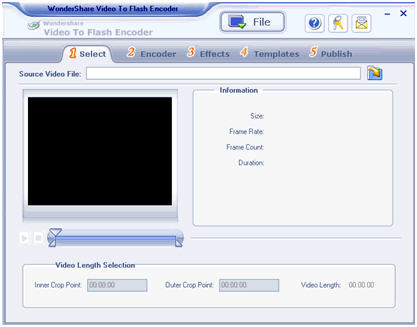
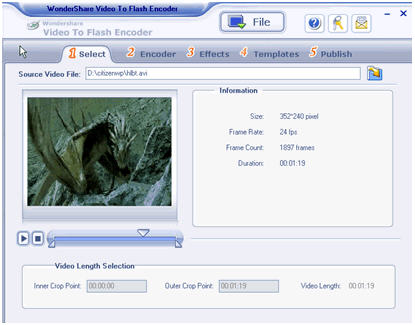
Step1. Click “Open Files” to select the video files you want to convert..
Click “Play” to preview the video file and get the information of it.
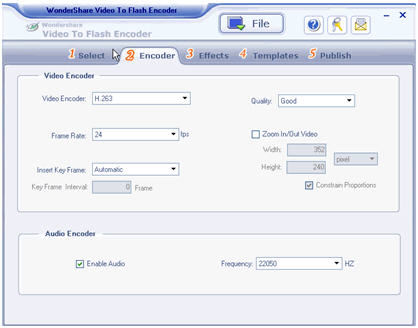
Step2. Encoder Video to Flash Converter enables you to customize video by setting Video Encoder, Frame Rate, Key frames, Quality , Audio Encoder etc.
Video Encoder: It has only one mode,default.
Qulity: In the drop-down menu you can select Low, Medium, Good, Best.
Frame Rate: The default Frame Rate is 12 fps. In the drop-down menu, you can choose the right frame rate that you need.
Zoom In/Out Video: Custom yourself or choose default setting.
Audio Encoder: Keep the original audio or erase the audio it carried.
When you finish, click “Effects” to start the next.
Step3. Effects
Take the special effects and make your video more attractive.
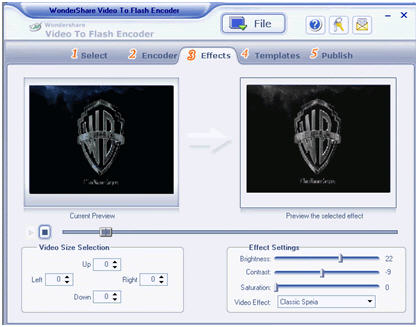
The “Up”, “Down”, “Left” and “Right” will allow you to convert certain area you select.
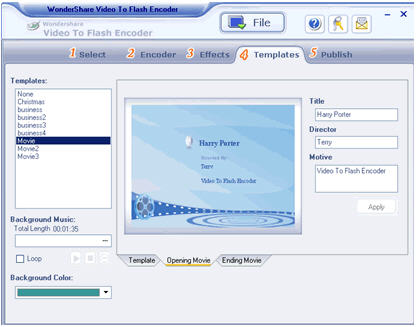
Step4. Templates
Select template and background music,also,background color can be changed as you wish.
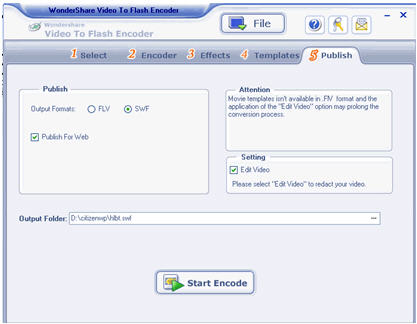
Step5. Publish
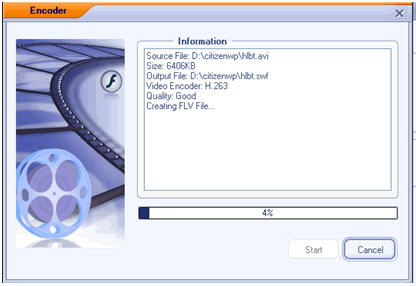
At last, check-up your select and start encode. You can publish it as flv, swf,. Swf format can be played in a flash player directly. Also,you can select Publish For Web and upload them to our server. When it finishes,you get your flash video.
Five steps complete video to flash converter, so I think you must be interested in VTF, download as soon as possible.
Related Software Step by Step Guides
and Tutorials:
How to convert AVI MPEG 3GP VOB MOV to DPG videos for playing on DS?
How to convert MOD to AVI, MPEG, WMV, MP4 with MOD converter
How to convert OGM to AVI/MP4/DVD/MOV with OGM converter?
How to convert MOV to MPEG, MOV to AVI, MOV to WMV, MOV to DivX?
How to convert AVI(DivX, XviD), VOB to SWF, FLV?
How to convert 3GP Video to SWF, FLV flash Video formats?
How to convert FLV flash to MPEG, WMV with FLV to AVI MPEG WMV 3GP MP4 iPod Converter?
How to convert Flash to MPEG and burn Flash files to DVD, VCD and SVCD?
How to convert DVD to flash, DVD to SWF, DVD to FLV, DVD to Screensaver and exe file?
|

 RSS Feeds
BBS Forum
RSS Feeds
BBS Forum













