 How to convert Photo to Cross Stitch Pattern with PM Stitch Creator step by step? How to convert Photo to Cross Stitch Pattern with PM Stitch Creator step by step?
PM Stitch Creator is the software that allows you to prepare your own counted cross stitch patterns. Program automatically converts your digital pictures into cross stitch patterns optimized for specified floss palette, or you can create cross stitch patterns from scratch with virtual needles and other tools like color fill, eraser, or text. Cross stitch patterns can be viewed on screen and printed as stitch work or chart, together with color key and material list.
This page will guide you how to convert convert Photo to Cross Stitch Pattern.
Step1. Please download PM Stitch Creator
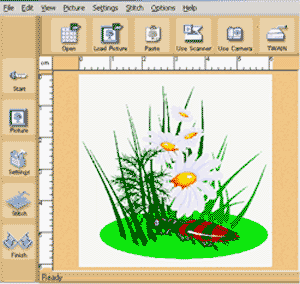
Step2. Load Photo START Screen
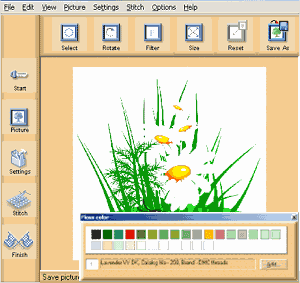
Step3. Edit Photo /optional/ PICTURE Screen
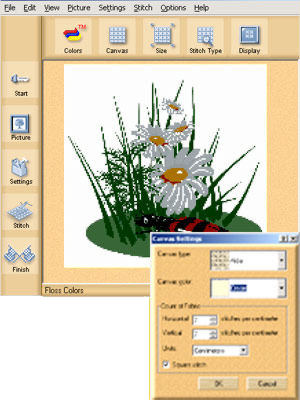
Step4. Define Design Settings SETTINGS Screen
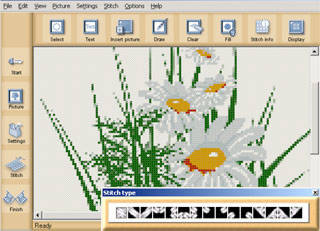
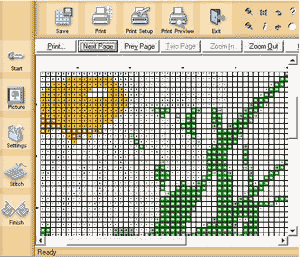
Step5. Edit And Modify Your Design STITCH Screen
Step6. Save, Export, And Print FINISH Screen
Related
Software Step by Step Guides and Tutorials:
How to convert DVD to PSP MP4 step by step?
How to download YouTube Video, convert YouTube to PS3 Zune Apple TV iPod 3GP?
How to convert DVD to iPhone on Mac OS X step by step?
How to convert and burn VOB AVI to DVD step by step?
How to convert video files to iPod format step by step?
How to copy DVD and play on PSP step by step?
How to rip DVD and put DVD on Zune step by step?
|

 RSS Feeds
BBS Forum
RSS Feeds
BBS Forum











