 How to rip or converter DVD to YUV with WinXMedia DVD Ripper? How to rip or converter DVD to YUV with WinXMedia DVD Ripper?
WinXMedia DVD Ripper is a powerful and easy to use DVD video converter. It can produce high quality MPEG1 (VCD), MPEG2 (SVCD), AVI(DivX, MPEG4, YUV...) video fiels.
Step1. Download WinXMedia DVD Ripper and install it.
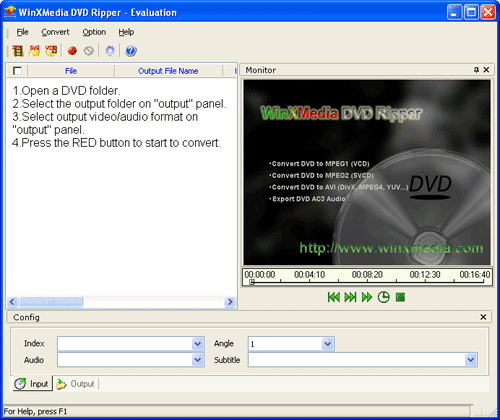
Step2. Launch WinXMedia DVD Ripper and the interface is as follows:
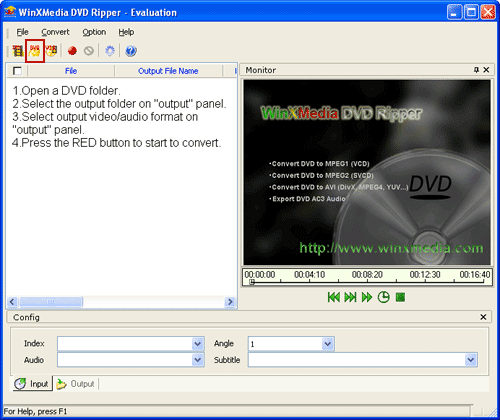
Step3. Click "Open DVD" button to select a DVD folder:
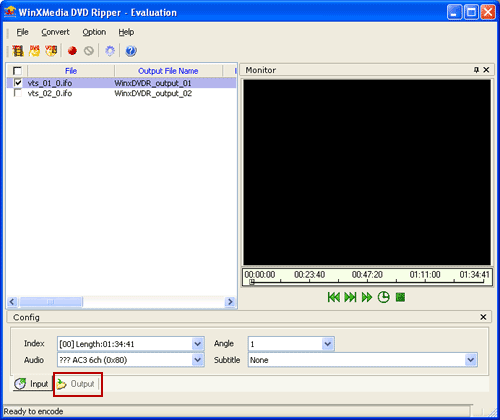
Step4. Click "Output" button to set the information about output file:
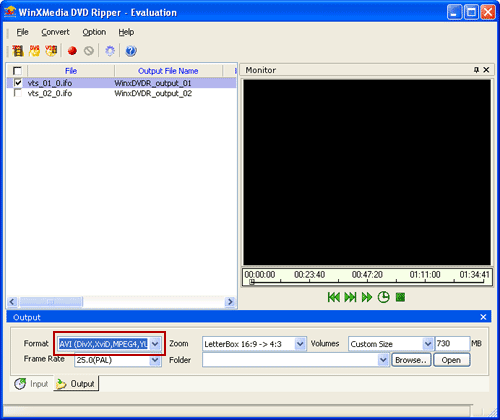
Step5. Click "Format" combo-box to select AVI(DivX,XviD,MPEG4,YUV...) as the output file:
Step6. Set the output codec:
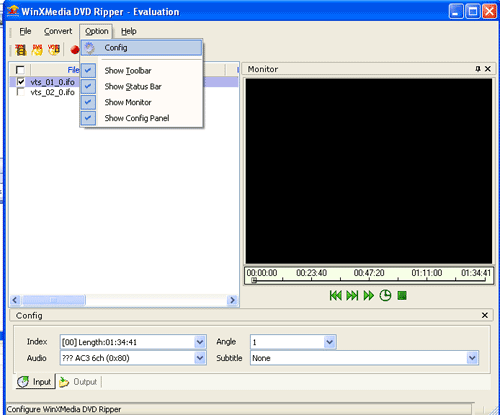
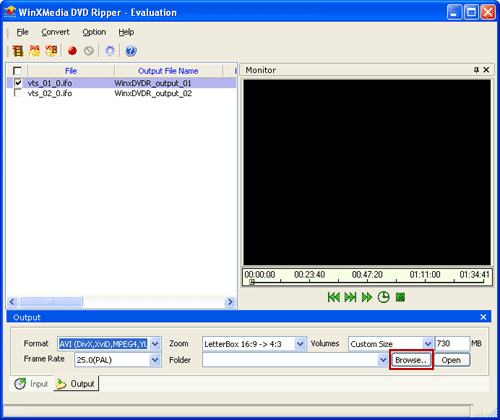
Step7. Click "Browse" button to select an output path:
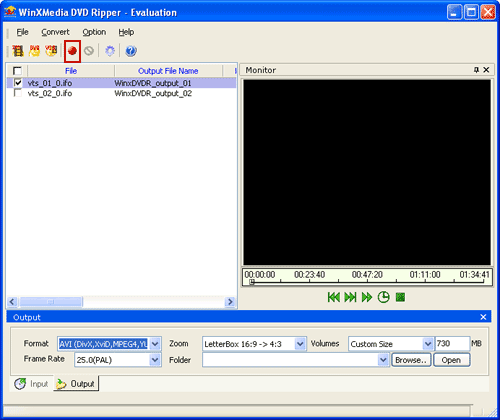
Step8. Click the red button to start to rip DVD to YUV
Related
Software Step by Step Guides and Tutorials:
How to convert/rip DVD to MPEG MOV AVI MP4 WMV Blackberry etc. on Mac?
How to rip DVD and put DVD on Zune step by step?
How to rip DVD to XviD step by step?
How to convert/rip DVD movie to BlackBerry AVI?
How to rip DVD to 3gp with ImToo DVD to 3GP Converter?
How to rip DVD movie to PSP, IFO to PSP on Mac step by step?
How to rip DVD movie to 3GP, IFO to 3GP on Mac?
How to convert AVI files to DVD with AVI to DVD Converter Mac?
How to burn Tivo videos to DVD with Tivo to DVD burner
How to convert VHS to DVD with VHS to DVD converter? VHS vs DVD reviews
How to convert and burn VOB AVI to DVD step by step?
|

 RSS Feeds
BBS Forum
RSS Feeds
BBS Forum











