 How to rip DVD to 3gp with ImToo DVD to 3GP Converter? How to rip DVD to 3gp with ImToo DVD to 3GP Converter?
ImTOO DVD to 3GP Converter is powerful, easy to use DVD to 3GP conversion software which helps you rip DVD to 3GP (3GPP2) video format and audio formats MP3 with excellent quality, convert DVD to 3GP (3GPP2) video format and MP3. You can convert DVD movies to 3GP directly and play it on mobile phone!
This guide will describe the basic steps how to convert DVD to 3GP using ImTOO DVD to PSP Suite .
Step1. Click for Download ImTOO DVD to 3GP and install it.
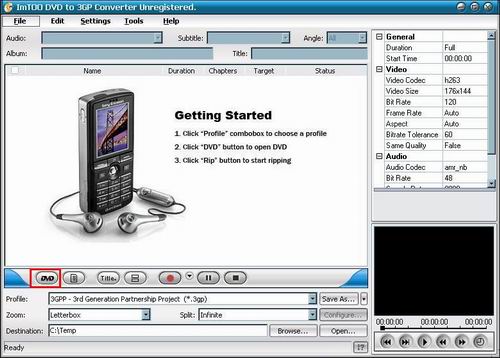
Step2. Open ImTOO DVD to 3GP Converter and load DVD. Please choose "Add DVD Folder" in the 'File' menu or directly press the "DVD" button in the main interface, then select your DVD Drive in the pop-up window and press the "OK" button.
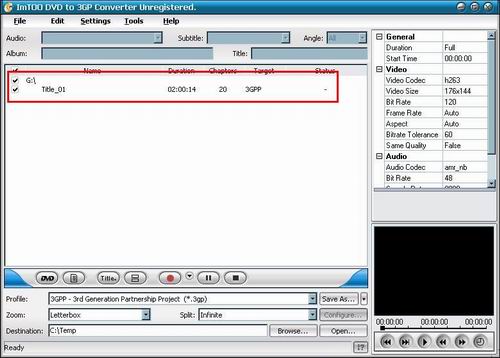
Step3. This dialog shows the contents table of the the videos to be converted to iPod video formats.
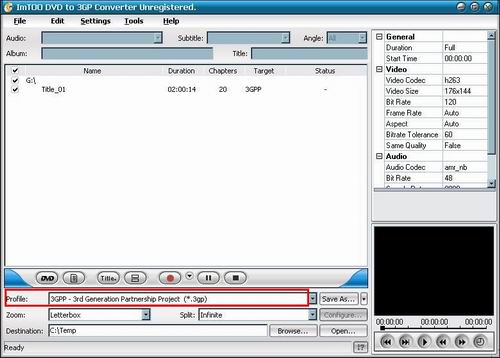
Step4. Set output format. In "Profile" drop down list box, you may select output format. The software allows setting different output formats according to different files.
Step5. Set conversion mode (Optional). After selecting certain output format, the right column will show its general standard. Clicking certain settings such as 'Zoom', 'Split', 'Destination' and 'Title' etc, you may set it.
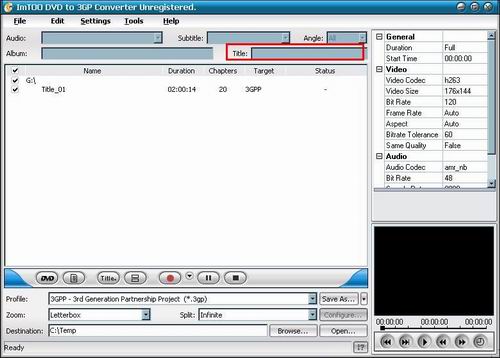
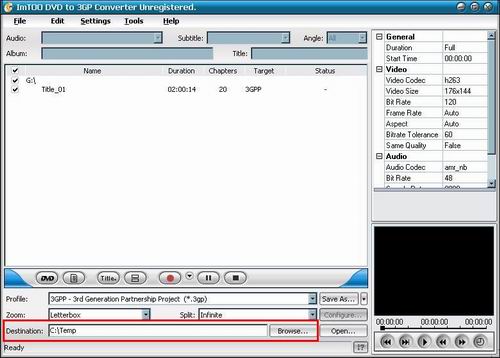
Step6. To set the folder where you want to save your target file, you may select the Output folder by clicking the "Browse..." button or enter a path in the "Destination" box directly. "C:temp " is the default destination folder.
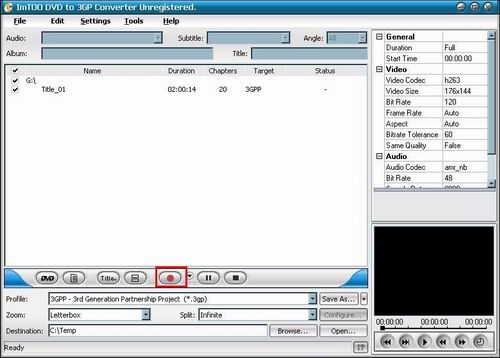
Step7. Start conversion. Finally, selected the chapter you want to convert and start conversion by right-clicking the file name and selecting 'Rip Selected' under the menu.
Related Article and Tutorials:
How to Convert AVI, WMV, MPG, ASF, MPEG to Flash step by step?
How to download YouTube Video, convert YouTube to PS3 Zune Apple TV iPod 3GP?
How to convert flash to mpeg and burn Flash files to DVD, VCD and SVCD?
How to convert DVD to YouTube Video step by step?
How to convert DVD to iPhone Video MP4 step by step?
How to convert video files to iPod format step by step?
How to convert flash SWF movie to iPod with ANVSOFT Flash to iPod Converter?
|

 RSS Feeds
BBS Forum
RSS Feeds
BBS Forum











