 How to clean and repair registry? How to clean and repair registry?
Registry Mechanic is an advanced registry cleaner for Windows that can safely clean and repair problems with your registry in a few simple mouse clicks! The problems, which are common causes of crashes and error messages, can be fixed easily by this software.
Step1. Download the Registry Mechanic from http://www.qweas.com/download/system/registry/registry_mechanic.htm
and install it on your PC.
Step2. Run the Registry Mechanic and then you will see a windows like this screen.
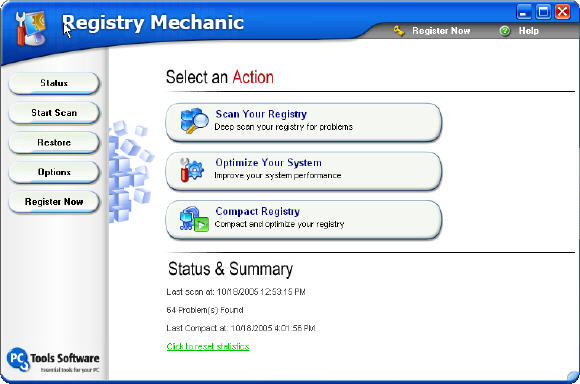
Choose "Scan Your Registry" button to start scan.
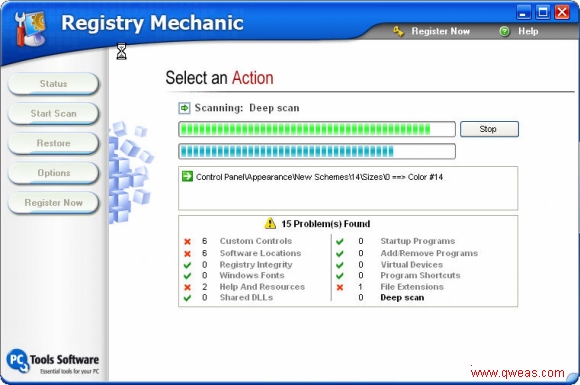
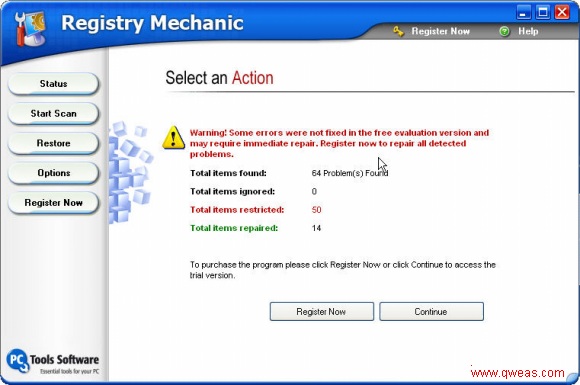
Step3. After scanning , it show the scan result. And then click the "Continue" to next step.
Step4.Chose the problems on the result to repair.
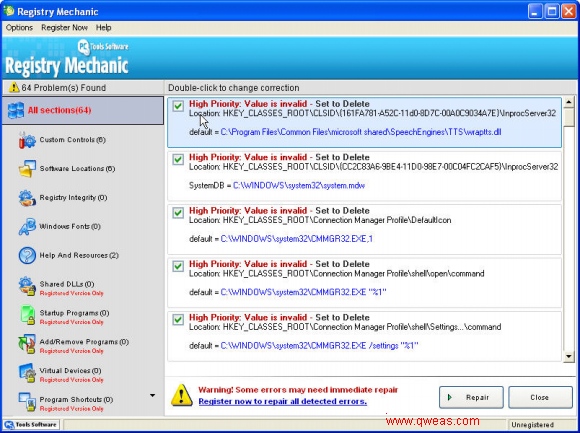
Step5.Now your registry is clean. Also you could scan it again or compact it, and optimize your system.
Related
Software Step by Step Guides and Tutorials:
How to repire PST Files in Outlook with Outlook PST Repair Tools?
How to recover corrupted Zip files with Zip repair tool?
How to repair the purple video with EnhanceMovie?
How to recover deleted or lost Partition?
How to recover SQL Server fixes MS SQL database with database recovery software?
How to recover deleted, missing or lost Logical Drives ?
How to recover Encrypted file on NTFS Drive?
How to recover Compressed files on NTFS Drive?
How to recover data from damaged or formatted disks?
How to recover files from dynamic-disk in Windows?
How to restore the system file?
|

 RSS Feeds
BBS Forum
RSS Feeds
BBS Forum











