 How to convert MOV to MPEG, MOV to AVI, MOV to WMV, MOV to DivX? How to convert MOV to MPEG, MOV to AVI, MOV to WMV, MOV to DivX?
This page will show you how to convert MOV to MPEG, MOV to AVI, MOV to WMV, MOV to DivX step by step with Xilisoft MOV Converter.
Xilisoft MOV Converter is powerful MOV converter software which can convert QuickTime MOV to MPEG, MOV to AVI format. It also supports convert MOV file to popular video formats including AVI, MPEG, WMV, DivX, and convert MOV to audio formats MP3 and WAV.
Step1. Please download Xilisoft MOV Converter.
Step2. Use "ADD" button on the main window or "ADD" in the "File" menu to select your original file first, and then open the folder where your original files are located.
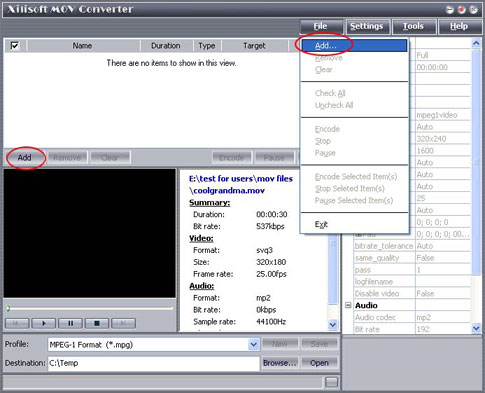
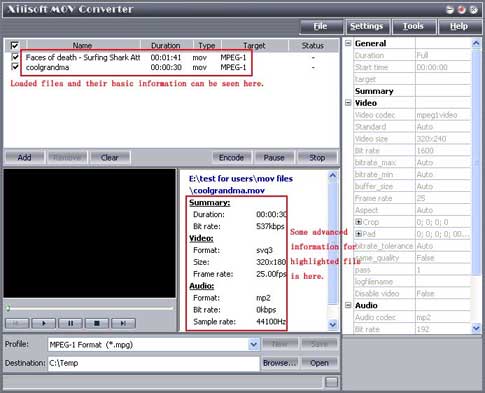
Step3. Select a file or several files. The file(s) you highlighted will be loaded after you click "Open". Here, you can view relevant info of those files. The software detects the "Duration" and "Type" of the loaded files automatically, and also some advanced info, such as the video and audio codec, which are shown in the certain location after you highlight it.
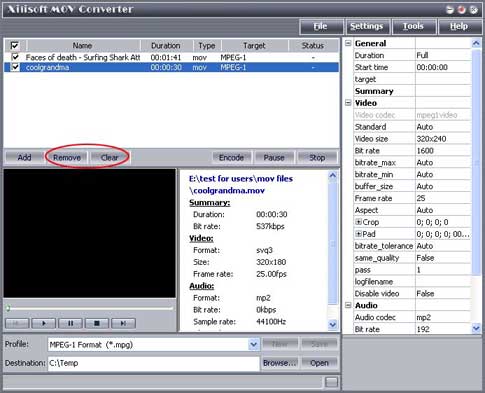
Step4. Use "Remove" button to remove the loaded file which you highlight; "Clear" button to clear all the files you selected. Those buttons can also be found in the "File" menu.
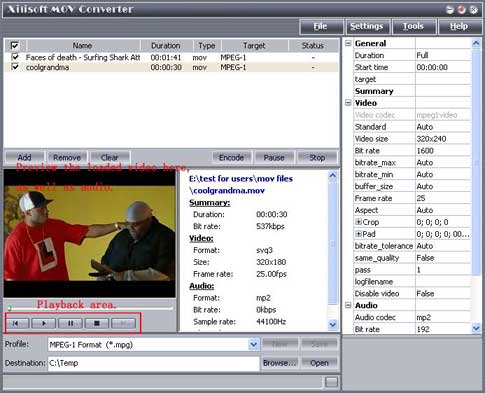
Step5. You can confirm if you have loaded the right file by previewing them. Please highlight the file that you want to preview, press "Play" button to preview it. Xilisoft MOV Converter supports playback function.
Step6. Select target file format that you want to output. Highlight your loaded file first and then select output format from "Profile" combo-box. You can select multi files and set output format simultaneously.
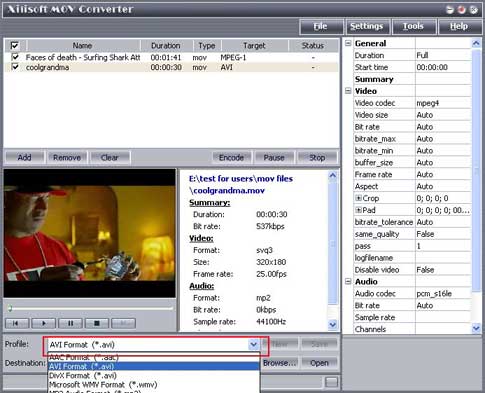
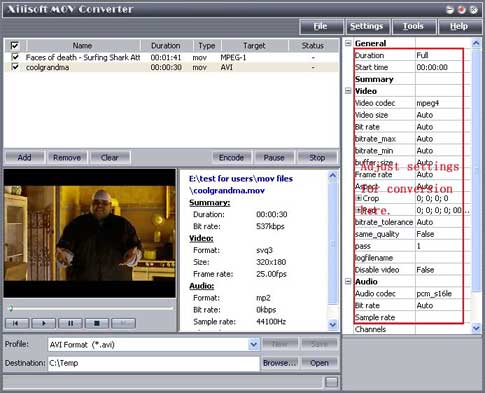
Step7. There are default settings which can be found in the right panel of the main window. It can be adjusted or changed manually according your needs. If you don't know what the setting means, leave it as the default one.
Related
Software Step by Step Guides and Tutorials:
How to convert AVI MPEG 3GP VOB MOV to DPG videos for playing on DS?
How to convert QT MOV to DivX with Fx MPEG Writer?
How to convert MOV to DVD or burn MOV to DVD step by step?
How to convert RMVB to MPEG step by step?
How to convert OGM to AVI/MP4/DVD/MOV with OGM converter?
How to convert M2TS to MKV, AVI, MPEG, MP3, MOV, etc?
How to convert AVI MOV WMV 3GP MP4 VOB MPEG to iPod on Mac?
How to convert MPEG MOV 3GP VOB AVI to MP4 M4A AAC on Mac?
How to convert/rip DVD to MPEG MOV AVI MP4 WMV Blackberry etc. on Mac?
How to convert AVI MPEG WMV MOV VOB ASF 3GP YouTube to BlackBerry AVI?
How to convert MOV to DVD or burn MOV to DVD step by step?
|

 RSS Feeds
BBS Forum
RSS Feeds
BBS Forum











