 How to convert RMVB to MPEG step by step? How to convert RMVB to MPEG step by step?
ALO Video Converter
is a simple and easy-to-use converting AVI, MPEG, RM, RAM,
RMVB, MOV, ASF, WMV to AVI, MPEG, RM, WMV.
In this guide we will explain how to convert RMVB to MPEG with ALO Video Converter. You are able to read more guides about the other uses of the program through the next menu.
Key Features
- Convert video files AVI, MPG, MPEG, DAT, WMV, ASF, MOV, QT, RM, RAM, RMVB to AVI, MPG, WMV, RM formats.
- Extract audio from AVI, WMV, ASF, RM, RAM, RMVB, MOV, QT, DAT, MPG and MPEG files to MP3, WAV, WMA and OGG format.
Step1. Download RMVB to MPEG Converter and install it on your PC.
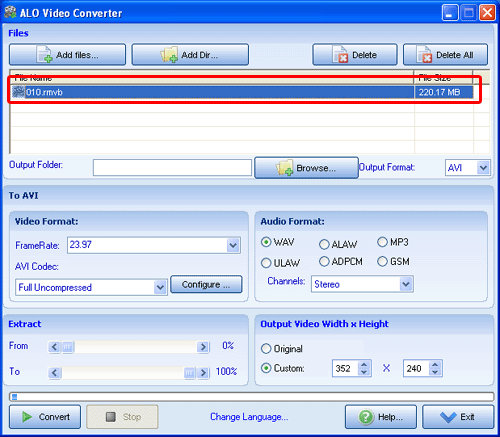
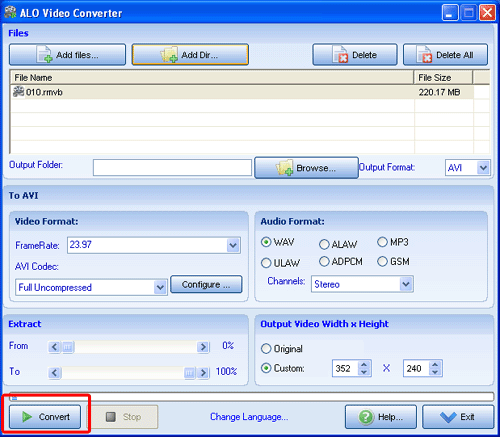
Step2. Load the RMVB file:
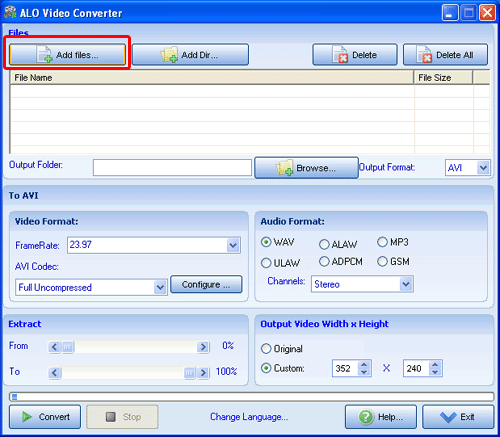
Step3. Click the "Add File" button to add RMVB files
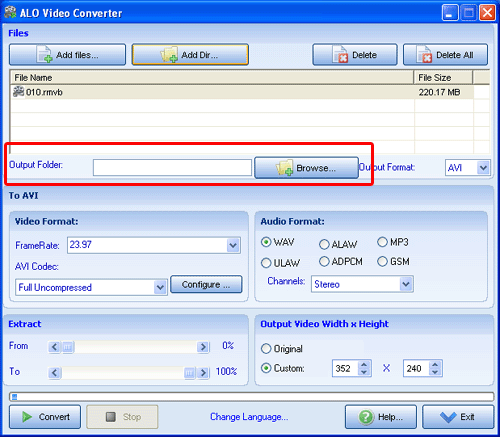
Step4. Set output folder:
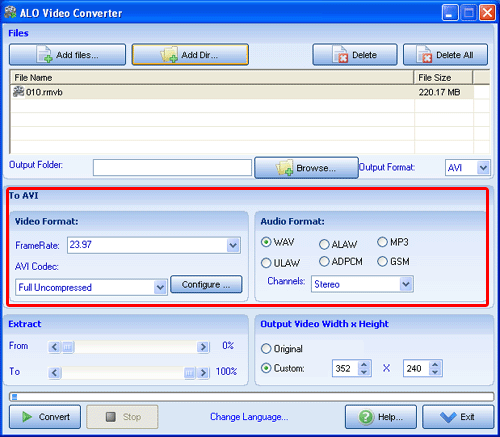
Step5. Set the video format and aduio format and the codec:
Step6. Converting:
Related Article and Tutorials:
How to convert MPEG MOV 3GP VOB AVI to MP4 M4A AAC on Mac?
How to convert MOV to MPEG, MOV to AVI, MOV to WMV, MOV to DivX?
How to brun/convert rm to DVD, rmvb to DVD?
How to convert AVI MPEG MP4 to PS3 iPod FLV Apple TV Zune etc on Mac?
How to convert AVI MPEG WMV MOV VOB ASF 3GP YouTube to BlackBerry AVI?
|

 RSS Feeds
BBS Forum
RSS Feeds
BBS Forum










