 How to merge multiple WMV, MP4, 3GP, RM, MOV files into one large file? How to merge multiple WMV, MP4, 3GP, RM, MOV files into one large file?
Allok Video Joiner is a powerful tool to join or merge multiple WMV, 3GP, MP4, RM, MOV, AVI, Divx, XviD, MPEG, ASF files into one large file in various formats. It has a user-friendly interface, and enables to support AVI(Divx, XviD, MPEG4), MPEG1, MPEG2, DVD and many other formats.
Here's the step-by-step guide about how to merge multiple WMV, MP4, 3GP, RM, MOV files into one large file with Allok Video Joiner.
Step1. Download Allok Video Joiner and install it.
Step2. Add the WMV, MP4, 3GP, RM, MOV file from your computer. It supports AVI, Divx, XviD, MPEG, WMV, ASF, RM, MOV, 3GP, MP4 files.
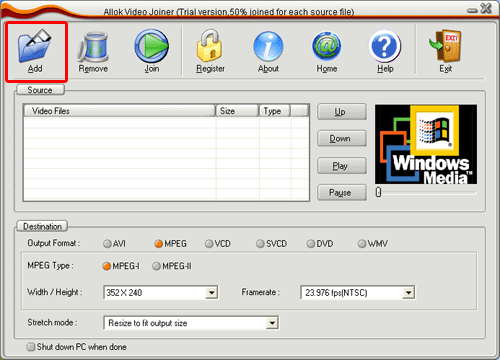
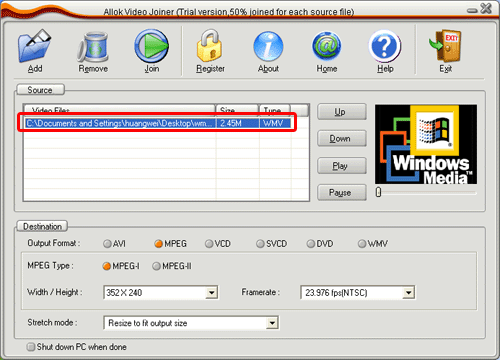
And the file information will display on the software:
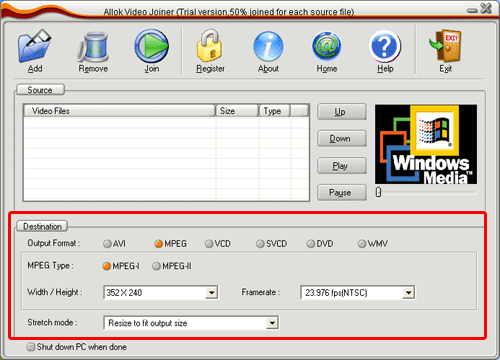
Step3. Set the options, the output format and width/height......
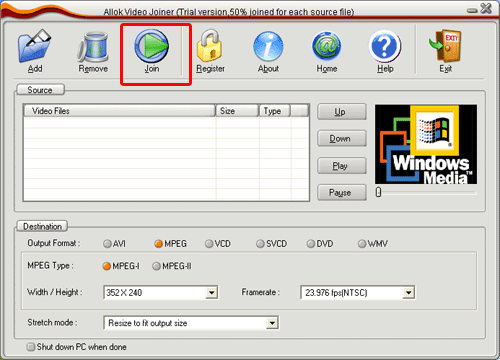
Step4. Click the "Join" button.
Related Software Step by Step Guides and Tutorials:
How to join multiple AVI/DIVX, MPEG,WMV/ASF,RM/RMVB to One Video file?
How to join videos and make galleries of pictures?
How to split MPEG, MPG, SVCD, DVD, VCD with Quick MPEG Splitter step by step?
How to split AVI, DivX, XviD with AVI Splitter step by step?
How to split VOB file with VOB splitter software?
How to merge multiple PDF files into a PDF file?
How to Batch Split PDF with Pdf Split Merge Pages?
How to merge multiple WMV, MP4, 3GP, RM, MOV files into one large file?
|

 RSS Feeds
BBS Forum
RSS Feeds
BBS Forum











