 How to transfer photo to DVD, create slide show on DVD step by step? How to transfer photo to DVD, create slide show on DVD step by step?
This step-by-step guide will show you how to transfer photo to DVD, create slide show on DVD with Photo DVD Maker Professional. The detailed steps are as follows:
Step1. Please download Photo DVD Maker Professional, install and run it; you can know more about it by visiting here: http://www.qweas.com/download/video_dvd/movie_makers/photo_dvd_maker_professional.htm
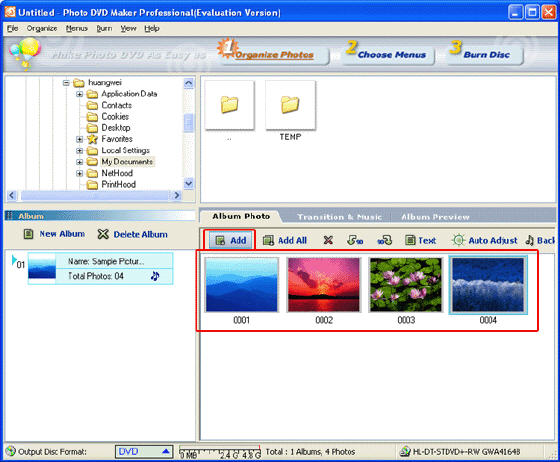
Step2. Organize Photos. Press the "Add" button to load photos:
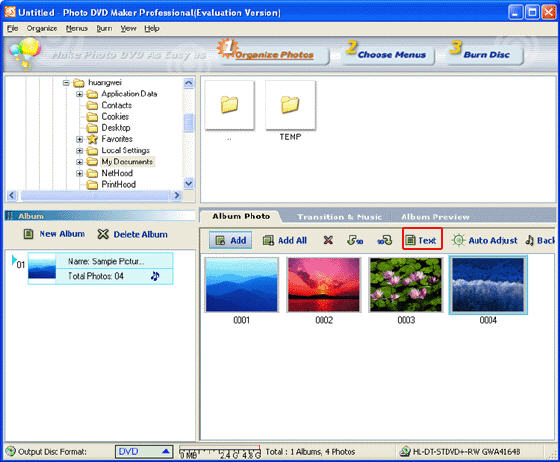
You can add text to any single picture just press the "Test" button on the top of the photos:
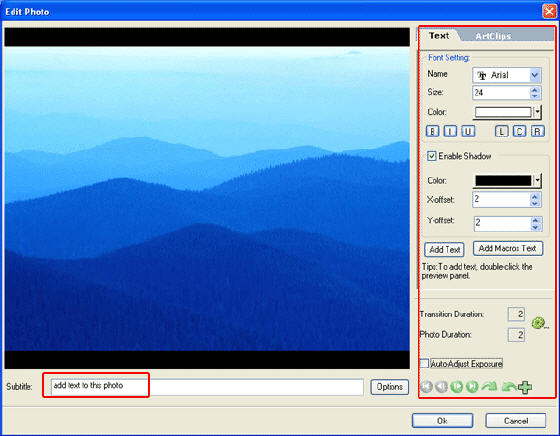
Step3. Choose Menus:
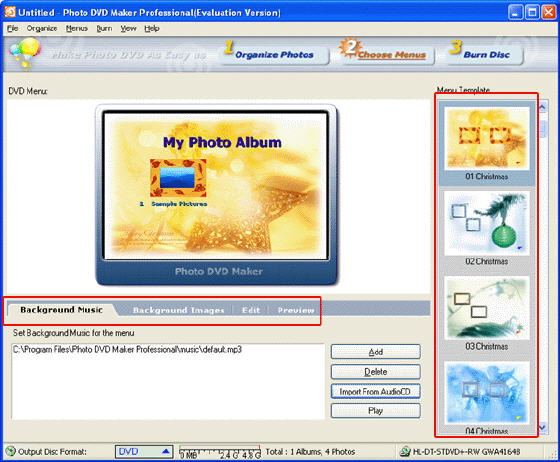
You can set the background music and background images as well.
Step4. Set the options for your DVD:
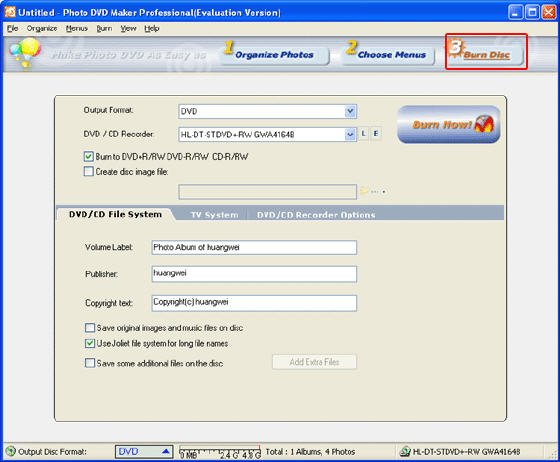
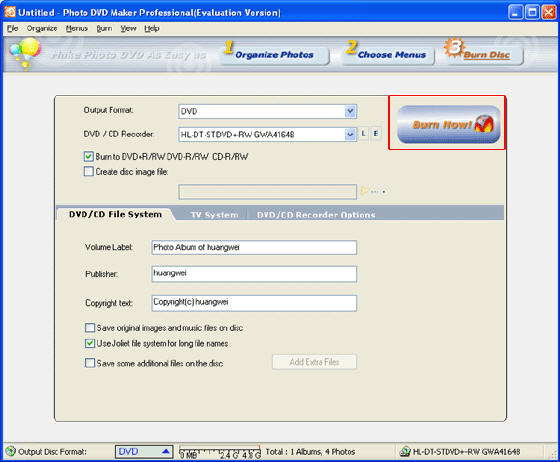
Step5. Burn:
Related Software Step by Step Guides
and Tutorials:
How to make/build Slideshow Screensaver with Digital Photo?
How to make a DVD Christmas slideshow?
How to convert PowerPoint slideshow file to WMV or MP4 YouTube video?
How to make iPhone slideshow movie with iPhone slideshow creator?
How to convert DVD to iPhone on Mac OS X step by step?
How to convert JPG photos to DVD/SVCD/VCD compatible MPEG files step by step?
How to convert JPG JPEG BMP to iPod movie with Photos to iPod Movie step by step?
How to convert video files to iPod format step by step?
How to copy DVD and play on PSP step by step?
How to create or make a digital photo collage?
|

 RSS Feeds
BBS Forum
RSS Feeds
BBS Forum











