 How to make/build Slideshow Screensaver with Digital Photo? How to make/build Slideshow Screensaver with Digital Photo?
The page will show you how to make/build Slideshow Screensaver with Digital Photo step by step with Flash ScreenSaver Master.
Flash Screensaver Master is an easy-to-use but powerful flash screensaver maker, which enables you to convert Flash files (*.swf) to screensavers, or build slide show screensavers with your favorite images. Additionally, you can add MP3, WAVor MIDI music files as background sound to make even attractive screensavers.
Step1. Please download Flash ScreenSaver Master and install it; you can know more about it by visiting here: http://www.qweas.com/download/graphics/screensaver_tools/flash_screensaver_master.htm
Step2. Launch Software
Click quick start of Flash Screensaver Master or Click Start =>Program => Flash Screensaver Master => Flash Screensaver Master, then the main interface will pop up.
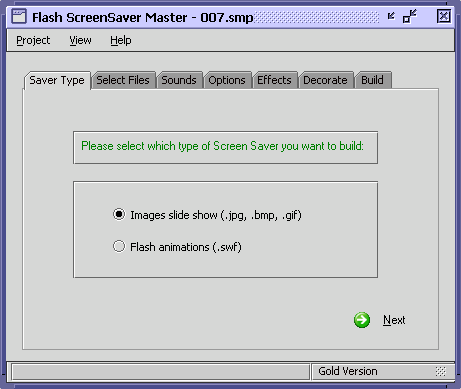
Step3. Select the type of screensaver: Images slide show or Flash animations
Select "Image slide show" type of screensaver you want to build, then click "Next"
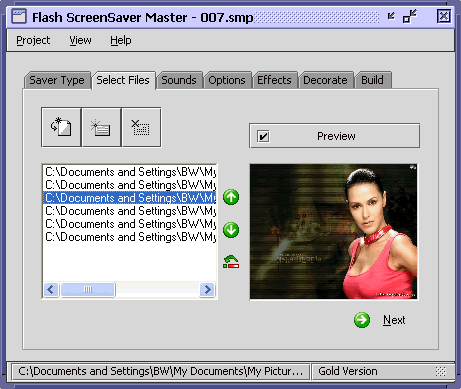
Step4. Add your digital photos
Photo formats supported: jpg, gif, bmp.
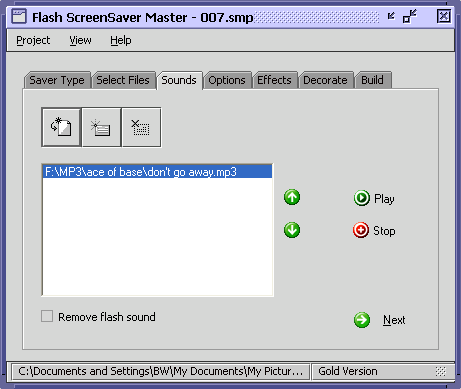
Step5. Add Sounds (Option).
Add the background music (Wma, Mp3, Wav, Midi).
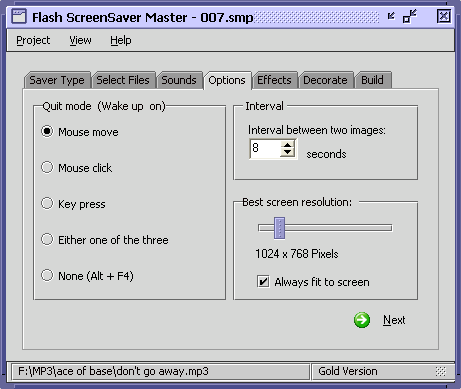
Step6. Set Quit Mode and Interval btw two photos (Option).
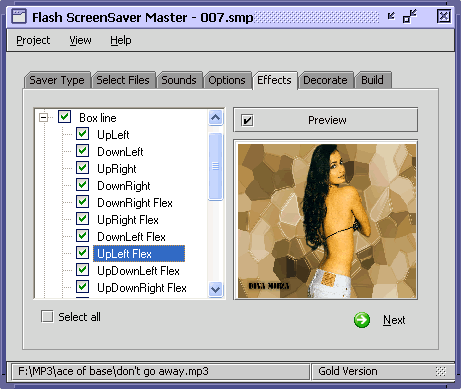
Step7. Set Effects of Slide Show (Option).
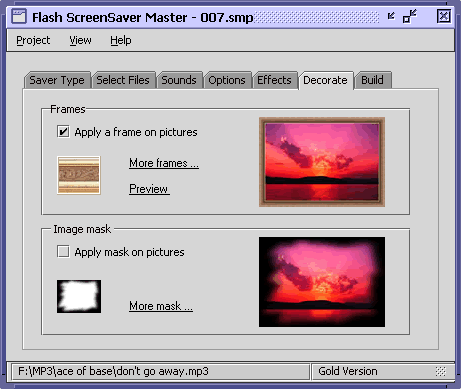
Step8. Set Decorate of Slide Show (Option).
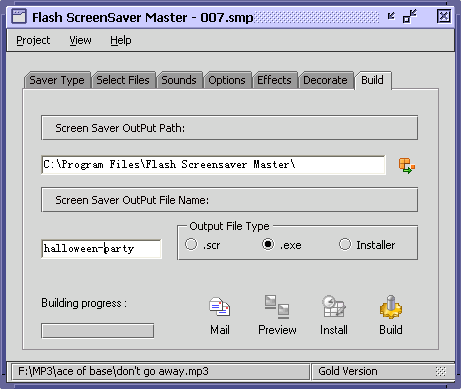
Step9. Build Slideshow Screensaver.
Select output srcreesaver as .SCR or .EXE format then click "Build" Button. You also can mail customed screensavers you made to your friends by click "Mail" button.
Related
Software Step by Step Guides and Tutorials:
How to make iPhone slideshow movie with iPhone slideshow creator?
How to make a DVD Christmas slideshow?
How to create E-card for Valentine with Flash SlideShow Builder?
How to transfer photo to DVD, create slide show on DVD?
How to make the presentation more attractive and create Slide-Show(Flash)?
How to convert DVD to flash, DVD to SWF, DVD to FLV, DVD to Screensaver and exe file?
How to convert SWF flash movies into redistributable Windows screensaver installer (.EXE)?
How to make a Flash Thumbnail Gallery for Your Website?
How to join videos and make galleries of pictures?
How to create Photo Video Slide?
|

 RSS Feeds
BBS Forum
RSS Feeds
BBS Forum











