 How to make a Recovery CD with Keriver Image? How to make a Recovery CD with Keriver Image?
Keriver Image is a cloning or imaging utility to help you protect yourself from important data losses. It will provides the ability to backup the entire contents of a hard disk or partition. The contents are saved as a image file that can be restored later to a disk or partition.
As a backup program for disaster recovery, Keriver Image is simple and efficient.
Here's the step-by-step guide about how to make a Recovery CD with Keriver Image.
Step1. Download Keriver Image and install it.
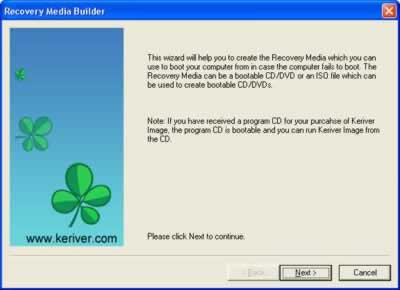
Step2. Open Wizard window, and then click "Next".
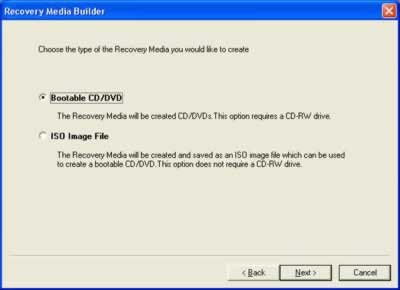
Step3. In the Media Type window, you can choose to create bootable Recovery CD or its ISO image.
Select "Bootable CD/DVD", and then click "Next" to continue.
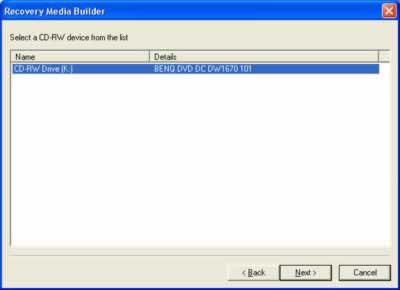
Step4. Select a CD-RW drive. Click "Next" to continue.
Step5. Insert a blank CD/DVD disc and press "Refresh" button. If the rewritable CD/DVD disc is not blank, you can erase it by pressing "Erase" button. Click "Next" to start burning Recovery CD or DVD.
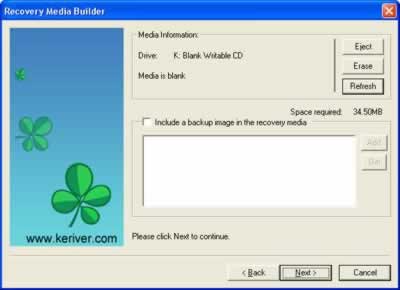
Step6. If you want to place a backup image into the Recovery CD, you can select the "Include a backup image in recovery media", and press "Add" to add backup image files. Click "Next" to start burning Recovery CD or DVD.
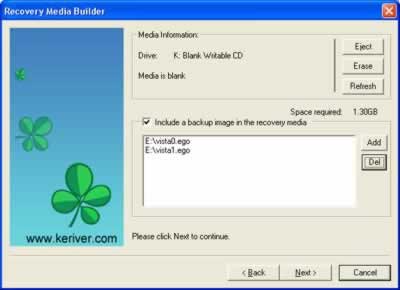
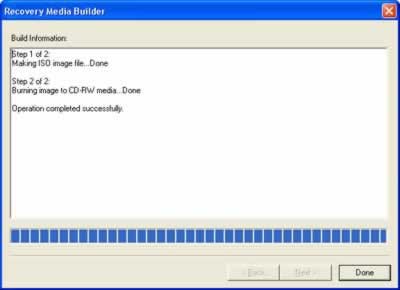
Step7. Burning start, wait for it to finish and you will have a Keriver Image Recovery CD/DVD.
After burning is finished, click "Done" to exit.
Related Software Step by Step Guides and Tutorials:
How to clone Windows 2000/XP/Vista?
How to convert hard disk files between FAT/FAT32 and NTFS format?
How to Recover Compressed files on NTFS Drive?
How to recover files from formatted hard drives?
How to recover files from Raw Hard Drive?
How to recover lost files from re-partitioned hard drives?
How to recover fdisked drives?
How to restore the system file?
|

 RSS Feeds
BBS Forum
RSS Feeds
BBS Forum











